Data as of Aug 25, 2026 · Based on 299 AI responses from ChatGPT Search and Google AI Mode · See how Parse measures this
For an excellent app experience and reliable smart home integration, the 

Brands AI recommends here
Named in 79% of answers
Named in 50% of answers
Named in 45% of answers
Named in 35% of answers
Source | Citation share |
|---|---|
 Best EV Chargers for 2025: Top Picks for Home Charginghttps://resources.treehouse.pro/post/what-is-the-best-ev-charger-for-my-vehicle | 2.9% |
 Best EV Chargers for Home 2026: Top 5 Ranked & Reviewed | Product Review Crewhttps://www.productreviewcrew.com/review/best-ev-chargers-for-home-compared | 2.5% |
 Best Home EV Chargers for 2026https://www.cnet.com/home/electric-vehicles/best-ev-charger/ | 2.4% |
 Which EVSE/Charger has the most powerful app for smart ...https://www.reddit.com/r/evcharging/comments/1b44cp8/which_evsecharger_has_the_most_powerful_app_for/ | 2.3% |
 Best Home Chargers for EVs in 2025 | EV.comhttps://ev.com/news/best-home-chargers-for-evs-in-2025 | 2.2% |
 Electric Car Chargers - EV Charging Stations - EVSE - Smart Chargehttps://smartchargeamerica.com/electric-car-chargers/ | 2.1% |
 These Are The Best Home EV Charging Stations Of 2025https://evchargingstations.com/chargingnews/best-home-ev-charging-stations-of-2025/ | 1.9% |
 Best Home EV Chargers of 2025 | Top Level 2 Picks & Buyer’s Guidehttps://www.carchargerspecialists.com/best-home-ev-chargers-2025 | 1.7% |
 The 8 Best Level 2 EV Chargers For Home In 2026https://simpleswitch.io/best-home-ev-level-2-charger/ | 1.6% |
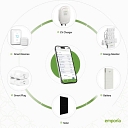 Emporia EV Charger Named Best Home EV Charger by CoPilothttps://www.emporiaenergy.com/blog/emporia-ev-charger-named-best-home-ev-charger-by-copilot/ | 1.2% |
For a tech-savvy homeowner looking for deep customization, local control, and robust smart platform integration (like Home Assistant, Alexa, or custom solar-diversion automations), standard "dumb" chargers won't cut it. The top home EV chargers for app experience, ecosystem openness, and smart home platform…
For a tech-savvy homeowner looking for deep customization, local control, and robust smart platform integration (like Home Assistant, Alexa, or custom solar-diversion automations), standard "dumb" chargers won't cut it.
The top home EV chargers for app experience, ecosystem openness, and smart home platform integration stand out across distinct categories:
Comparison for a Tech-Savvy Setup
Best for Home Assistant & Local Control: Wallbox Pulsar Plus Go to product viewer dialog for this item. wins easily due to its local API availability and active community integrations.
Best for Multi-EV / Future-Proofing Hardware: Tesla Universal Wall Connector Go to product viewer dialog for this item..
Best Plug-and-Play Cloud App & Utility Tracking: ChargePoint Home Flex Go to product viewer dialog for this item..
Enphase IQ Go to product viewer dialog for this item. (if you have Enphase solar) or Wallbox Go to product viewer dialog for this item. (if you are solar-agnostic).
To help narrow this down, tell me:
For a **tech-savvy homeowner**, I’d prioritize not just the charger’s app, but how well it exposes controls to your broader smart-home/energy ecosystem. My shortlist: Charger | App experience | Smart-home integration | Best for --- | --- | --- | ---
For a tech-savvy homeowner, I’d prioritize not just the charger’s app, but how well it exposes controls to your broader smart-home/energy ecosystem. My shortlist:
| Charger | App experience | Smart-home integration | Best for |
|---|---|---|---|
| Wallbox Pulsar Plus | ⭐⭐⭐⭐⭐ | ⭐⭐⭐⭐⭐ | Best overall for enthusiasts |
| ChargePoint Home Flex | ⭐⭐⭐⭐⭐ | ⭐⭐⭐⭐ | Best polished app + voice control |
| Emporia EV Charger | ⭐⭐⭐⭐ | ⭐⭐⭐⭐* | Best for solar/whole-home energy nerds |
| Tesla Wall Connector | ⭐⭐⭐⭐⭐ | ⭐⭐ | Best if you're deep in Tesla's ecosystem |
This is my pick if you actually want to tinker and automate. The Wallbox app supports remote control, scheduling, energy monitoring and power adjustment, with both Wi-Fi and Bluetooth connectivity. Current Pulsar Plus models support Amazon Alexa and Google Home, and certain versions support OCPP, which gives enthusiasts additional options for third-party integrations.
The particularly nice feature is that some intelligence remains available over Bluetooth rather than being completely dependent on the cloud.
Why I'd choose it: excellent combination of a good consumer app, energy-management features, voice control and integration potential.
If you want excellent software without wanting to become an EVSE hobbyist, Home Flex is probably the safest choice. The ChargePoint app handles schedules, charging history, energy/cost information, reminders and remote charging. It also integrates with Amazon Alexa, including commands for starting/stopping charging and checking status. Siri Shortcuts are supported as well.
Another advantage is that the same app covers ChargePoint's public charging network, so your home and road-trip charging history live together.
Caveat: it's less attractive than Wallbox if your definition of "smart" means extensive DIY automation/Home Assistant experimentation.
Emporia is particularly interesting if you have solar, a battery, time-of-use electricity, or an Emporia Vue energy monitor. Its ecosystem is built around understanding household energy consumption rather than treating the EV charger as an isolated appliance.
There's an important 2026 caveat, though: Emporia says it doesn't currently provide a public API or local API, and Home Assistant isn't officially supported. Community integrations can expose the charger to Home Assistant, but they're cloud-based and unsupported by Emporia.
So I'd choose Emporia for energy optimization, not for maximum open smart-home interoperability.
Tesla's app experience is excellent: you get charging schedules, charging history, remote management, access controls, diagnostics and OTA firmware updates. It can also be paired with a Powerwall, letting the Tesla app manage the home energy ecosystem together.
But compared with Wallbox, it's much more of a vertically integrated Tesla experience than an open smart-home platform. That's great if you have Tesla vehicles/Powerwall; less compelling if your goal is Home Assistant-style experimentation.
One important distinction: if you specifically use Home Assistant, I'd lean Wallbox, but I'd verify the exact model's API/OCPP capabilities before buying. If you primarily use Alexa/Google Home, both Wallbox and ChargePoint are strong choices; Wallbox has the broader combination of voice control plus energy-management features.
If you tell me whether your smart home is Home Assistant, Apple Home, Google Home, Alexa, or SmartThings (and whether you have solar), I can narrow this to the 2–3 best chargers for your exact setup.
Emporia is particularly interesting if you have solar, a battery, time-of-use electricity, or an Emporia Vue energy monitor. Its ecosystem is built around understanding household energy consumption rather than treating the EV charger as an isolated appliance.
There's an important 2026 caveat, though: Emporia says it doesn't currently provide a public API or local API, and Home Assistant isn't officially supported. Community integrations can expose the charger to Home Assistant, but they're cloud-based and unsupported by Emporia.
So I'd choose Emporia for energy optimization, not for maximum open smart-home interoperability.
Tesla's app experience is excellent: you get charging schedules, charging history, remote management, access controls, diagnostics and OTA firmware updates. It can also be paired with a Powerwall, letting the Tesla app manage the home energy ecosystem together.
For a tech-savvy homeowner looking for deep customization, energy tracking, and local or cloud smart home integrations, three EV chargers stand out from the pack. They balance polished proprietary apps with open-ecosystem compatibility (like Home Assistant, Alexa, Google Home , and solar-diversion…
For a tech-savvy homeowner looking for deep customization, energy tracking, and local or cloud smart home integrations, three EV chargers stand out from the pack. They balance polished proprietary apps with open-ecosystem compatibility (like Home Assistant, Alexa, Google Home , and solar-diversion setups).
If your smart home centers around comprehensive energy tracking, local control, and granular cost optimization, Emporia Go to product viewer dialog for this item. is hard to beat.
The Wallbox Pulsar Plus Go to product viewer dialog for this item. is compact, incredibly fast (up to 48A hardwired), and uniquely architected with onboard intelligence.
myWallbox app controls scheduling, locking/unlocking, and power statistics via Wi-Fi and Bluetooth. A major perk for tech enthusiasts: onboard memory . Smart schedules and lock states are stored directly on the charger itself rather than solely in the cloud. This means your automated routines run locally and reliably even if your internet drops.If you prefer a slick, zero-fuss mobile app experience that just works seamlessly with your vehicle and mainstream smart ecosystems, ChargePoint Home Flex Go to product viewer dialog for this item. is the gold standard.
Summary Recommendation
Choose Emporia Go to product viewer dialog for this item. if you want deep electrical data, own (or plan to own) a whole-home energy monitor, and run Home Assistant for local automation.
Add to list Choose Wallbox Pulsar Plus if you want physical compactness, Bluetooth fail-safes, and onboard schedule execution that doesn't rely entirely on a cloud server.
Add to list Choose ChargePoint Home Flex if you value a refined, vehicle-synced mobile app and mainstream smart-assistant integration above heavy local scripting.
If you'd like to narrow this down further, let me know:
For a **tech-savvy homeowner**, I’d prioritize three things beyond charging speed: **a genuinely good app, open integration/API support, and useful energy telemetry/control**. On that basis, my shortlist is: - **Wallbox Pulsar Plus** - $614.99 (Walmart) - **ChargePoint Home Flex** - $657.99 (The Home Depot)
For a tech-savvy homeowner, I’d prioritize three things beyond charging speed: a genuinely good app, open integration/API support, and useful energy telemetry/control. On that basis, my shortlist is:
| Charger | App | Smart-home / automation | Best fit |
|---|---|---|---|
| Wallbox Pulsar Plus | ⭐⭐⭐⭐½ | ⭐⭐⭐⭐⭐ | Best overall for enthusiasts |
| ChargePoint Home Flex | ⭐⭐⭐⭐⭐ | ⭐⭐⭐ | Best app experience |
| Enphase IQ EV Charger | ⭐⭐⭐⭐ | ⭐⭐⭐⭐½ | Solar + energy-management homes |
| Tesla Universal Wall Connector | ⭐⭐⭐⭐½ | ⭐⭐⭐ | Tesla-heavy households |
Wallbox is my pick if you actually want the charger to participate in your home automation rather than merely have a phone app.
The Pulsar Plus supports Wi-Fi/Bluetooth, adjustable charging power, scheduling and Power Sharing. More importantly for enthusiasts, applicable configurations support OCPP, and it has integrations with Alexa and Google Home. That gives you considerably more room to build sophisticated automations around charging power and energy use.
A particularly good use case is something like: “When solar export exceeds 4 kW, increase charging current; when household demand spikes, throttle the EV.” That's much more useful than simply asking Alexa to start charging.
Verdict: Best balance of polished consumer product + automation potential.
ChargePoint has arguably the nicest everyday charging experience. Its app combines home and public charging, scheduling, charging history and energy/cost information. It also supports Alexa and Siri-related controls.
The trade-off is openness: it's less attractive if you're planning elaborate Home Assistant automations or want deep local/API control.
Verdict: Choose this if “I want the app to just be excellent” matters more than hacking the charger into your automation stack.
Enphase Energy becomes particularly compelling if your home already uses Enphase solar/battery equipment. Its app can bring EV charging into the same energy-management ecosystem, making it attractive for solar optimization and monitoring. Current models offer Wi-Fi connectivity and scheduling.
I'd choose this over Wallbox if your definition of “smart” is primarily energy orchestration rather than general-purpose smart-home automation.
Tesla's Universal Wall Connector is a particularly good hardware choice for a household that wants compatibility with both NACS and J1772 vehicles. It can deliver up to 48 A/11.5 kW and integrates naturally with Tesla's software ecosystem.
Its weakness for a tinkerer is that Tesla's ecosystem is comparatively closed. I'd buy it because of vehicle compatibility and Tesla integration, not because it's the most open platform.
One important distinction: Alexa/Google compatibility ≠ deep automation compatibility. For a serious smart-home setup, I'd rank local/API/OCPP access and telemetry above voice control. Home Assistant, in particular, is designed for much deeper automation and local control than the mainstream voice ecosystems.
If I were spending my own money for a tech-oriented house today, Wallbox would be my default pick, with ChargePoint winning if app quality is the overriding concern.
Verdict: Best balance of polished consumer product + automation potential.
ChargePoint has arguably the nicest everyday charging experience. Its app combines home and public charging, scheduling, charging history and energy/cost information. It also supports Alexa and Siri-related controls.
The trade-off is openness: it's less attractive if you're planning elaborate Home Assistant automations or want deep local/API control.
Verdict: Choose this if “I want the app to just be excellent” matters more than hacking the charger into your automation stack.
Enphase Energy becomes particularly compelling if your home already uses Enphase solar/battery equipment. Its app can bring EV charging into the same energy-management ecosystem, making it attractive for solar optimization and monitoring. Current models offer Wi-Fi connectivity and scheduling.
I'd choose this over Wallbox if your definition of “smart” is primarily energy orchestration rather than general-purpose smart-home automation.
Tesla's Universal Wall Connector is a particularly good hardware choice for a household that wants compatibility with both NACS and J1772 vehicles. It can deliver up to 48 A/11.5 kW and integrates naturally with Tesla's software ecosystem.
Its weakness for a tinkerer is that Tesla's ecosystem is comparatively closed. I'd buy it because of vehicle compatibility and Tesla integration, not because it's the most open platform.
For a tech-savvy homeowner looking for top-tier app experiences, robust automation, and local or cloud smart-home integrations (like **Home Assistant**, **Alexa**, **Google Home** , or custom solar diversion), a few standout choices lead the market. The top options are ranked and categorized below by their integration…
For a tech-savvy homeowner looking for top-tier app experiences, robust automation, and local or cloud smart-home integrations (like Home Assistant, Alexa, Google Home , or custom solar diversion), a few standout choices lead the market.
The top options are ranked and categorized below by their integration strengths:
Best For: Comprehensive home energy management and smart platform integration.
App Experience: Emporia's app is arguably the most data-dense and feature-rich for tracking kWh usage, setting cost thresholds, and tying directly into dynamic utility rate structures.
Smart Home & Ecosystem: Features a fantastic, community-loved API integration with Home Assistant, Alexa , and Google Assistant . Crucially, the Emporia Pro variant ships bundled with the Emporia Vue Home Energy Monitor , giving you real-time whole-home CT clamp visibility so you can automate charging based on exact solar surplus or total panel load limits without buying extra hardware.
Best For: Sleek hardware paired with deep, flexible automation.
App Experience: The myWallbox app is polished, responsive, and handles scheduling, lock/unlock features, and power adjustments seamlessly via Wi-Fi or Bluetooth.
Smart Home & Ecosystem: Offers native integrations with Amazon Alexa and Google Home . For advanced hobbyists, Wallbox has historically been a favorite for local/cloud API control, working smoothly with platforms like Home Assistant and energy management tools like EVCC to ramp charging speeds dynamically up and down based on real-time grid or solar metrics.
Best For: The best polished, consumer-friendly app and ecosystem.
App Experience: The ChargePoint App unifies both public charging and your home unit into a single interface. It provides precise utility-rate cost tracking, reminders, and clean session graphs.
Smart Home & Ecosystem: Connects cleanly to Alexa and Google Home. Note for power users: While the Home Assistant integration is reliable, it leans heavily on the ChargePoint cloud and is largely read-only for session metrics rather than deep local hardware control.
Best For: Rock-solid reliability and clean vehicle-ecosystem data.
App Experience: Managed entirely through the main Tesla mobile app. If you already own a Tesla, keeping the charger in the same app is frictionless.
Smart Home & Ecosystem: Features Wi-Fi connectivity for OTA updates and a local HTTP API that makes third-party data scraping and integration into Home Assistant relatively straightforward (though power regulation relies heavily on configuring scheduled charging inside the vehicle itself rather than direct dynamic modulation via the cloud).
To help narrow down the ideal choice, let me know:

evcc
evcc.io
For a **tech-savvy homeowner**, I’d prioritize not just charging speed but the quality of the software stack: **API/local control, Home Assistant support, energy monitoring, solar/TOU scheduling, and voice-platform compatibility**. ### My 2026 shortlist ### [Wallbox Pulsar…
For a tech-savvy homeowner, I’d prioritize not just charging speed but the quality of the software stack: API/local control, Home Assistant support, energy monitoring, solar/TOU scheduling, and voice-platform compatibility.
$699.00
$657.99
$595.00
| Charger | App experience | Smart-home / automation | Best for |
|---|---|---|---|
| Wallbox Pulsar Plus | ⭐⭐⭐⭐½ | ⭐⭐⭐⭐⭐ | Home Assistant, automation, solar |
| ChargePoint Home Flex | ⭐⭐⭐⭐⭐ | ⭐⭐⭐ | Best polished everyday app |
| Emporia EV | ⭐⭐⭐⭐ | ⭐⭐⭐⭐⭐ | Energy monitoring + solar |
| Tesla Universal Wall Connector | ⭐⭐⭐⭐⭐ | ⭐⭐ | Tesla ecosystem / mixed EV garage |
This is my pick if you're the kind of homeowner who wants the EV charger to participate in broader automations.
It supports Wi-Fi/Bluetooth, adjustable charging current, power sharing and OCPP, and its Home Assistant integration is considerably more interesting than the typical cloud-only charger. That makes automations such as "charge when solar surplus is available," "reduce charging during peak rates," or "throttle the EV when the house load gets high" much more practical.
The downside is that the strongest automation capabilities still rely substantially on Wallbox's cloud API, so it isn't a completely local-control solution.
If you care more about excellent software without wanting to tinker, I'd choose the Home Flex.
ChargePoint's app provides charging schedules, session history, energy/cost information and notifications, and the Home Flex supports Alexa and Google-oriented smart-home functionality. Current versions are also available with NACS, which makes the product more attractive as the North American connector transition continues.
The tradeoff is important for enthusiasts: its Home Assistant integration is primarily community/cloud-based rather than giving you the kind of open automation platform you'd get from a more integration-friendly charger.
I'd pick Emporia if your definition of "smart" is really whole-house energy optimization.
Emporia's strength is its energy-monitoring ecosystem. Its EV charger can be combined with home energy monitoring, making it particularly compelling for solar, time-of-use electricity rates and load management.
It also has official Alexa and Google Home integration, although those voice integrations are currently quite basic: primarily starting/stopping charging rather than exposing all the charger’s energy controls.
If you own a Tesla—or want a charger that accommodates both NACS and J1772 vehicles—the Tesla Universal Wall Connector is hard to ignore. It has a built-in J1772 adapter, up to 48A/11.5 kW charging, Wi-Fi and PowerShare support.
The Tesla app experience is excellent, but Tesla is less attractive if your primary goal is third-party smart-home automation. In that situation I'd favor Wallbox or Emporia.
This is the interesting weak spot in the market. As of 2026, mainstream home EV chargers still don't offer the sort of native Apple Home/Matter integration you might expect from newer smart-home devices. Current comparisons show Home Assistant is often the bridge for Apple Home, Google Home and Alexa ecosystems.
So if you're building an Apple-centric smart home, I'd actually choose the charger based on its Home Assistant integration, rather than looking for a charger that says "works with Apple Home."
One particularly important consideration: don't buy based on app quality alone. For a tech-oriented installation, I'd give local/API access, load management and energy integration more weight than whether the manufacturer's app looks prettier. Those capabilities determine whether the charger can still participate in sophisticated automations several years from now.
If you tell me whether your smart home is Home Assistant, Apple Home, Alexa, Google Home, or SmartThings, I can narrow this to the top 2–3 chargers and compare their actual integrations/API capabilities.
- Integration: Excellent integration with the Tesla app and ecosystem; third-party integrations (like Home Assistant via local API or Tesla Fleet API) allow robust smart home automation, though native third-party smart home platform integration (like Apple HomeKit or Google Home) is limited. - App Experience: Clean,…
Integration: Excellent integration with the Tesla app and ecosystem; third-party integrations (like Home Assistant via local API or Tesla Fleet API) allow robust smart home automation, though native third-party smart home platform integration (like Apple HomeKit or Google Home) is limited.
App Experience: Clean, highly polished, tracks charging history, allows scheduling, and manages power sharing across multiple chargers.
Integration: Outstanding integration with Home Assistant (via local MQTT or API), Amazon Alexa , and Google Home . It shines for energy monitoring when paired with the Emporia Vue energy monitor.
App Experience: Feature-rich app providing real-time power draw, cost tracking, solar-excess charging capabilities, and detailed historical analytics.
Integration: Strong native support for Amazon Alexa and Google Home , plus solid IFTTT support and community-driven Home Assistant integrations.
App Experience: One of the most mature and reliable apps on the market, offering scheduling, reminder notifications, utility rate integration to charge during off-peak hours, and comprehensive charging stats.
Integration: Exceptional smart home ecosystem compatibility with native Amazon Alexa, Google Home, SmartThings , and a robust local/cloud API heavily utilized by Home Assistant users.
App Experience: Intuitive app interface with power sharing, Eco-Smart functionality (charging strictly from excess solar), and easy amperage adjustment on the fly.
Integration: Offers smart features via OCPP (Open Charge Point Protocol) , allowing tech-savvy users to connect it to custom backends or Home Assistant via OCPP integration.
App Experience: Heavy-duty, robust hardware with a functional app (using the EV Duty / Smartocell platform), though the software interface is less flashy compared to Wallbox or Tesla.
If you'd like, let me know:
I can narrow down the best choice for your specific setup.
For a **tech-savvy homeowner**, I’d prioritize two things beyond charging speed: **how good the vendor app is** and **how much control you get from your smart-home/energy system**. On that basis, these stand out in 2026: ### [Wallbox Pulsar…
For a tech-savvy homeowner, I’d prioritize two things beyond charging speed: how good the vendor app is and how much control you get from your smart-home/energy system. On that basis, these stand out in 2026:
$699.99
$657.99
$449.00
$600.00
| Charger | App experience | Smart-home / automation | Best for |
|---|---|---|---|
| Wallbox Pulsar Plus | ★★★★½ | ★★★★★ | Best overall for smart-home enthusiasts |
| ChargePoint Home Flex | ★★★★★ | ★★★½ | Best mainstream app |
| Emporia Pro/Classic | ★★★★ | ★★★ | Best energy-management ecosystem |
| Tesla Universal Wall Connector | ★★★★★ | ★★★ | Best Tesla-centric experience |
This is the one I'd choose if you expect to connect the charger to Home Assistant, solar, load management, or other automations.
The Pulsar Plus supports Wi-Fi/Bluetooth, power control, scheduling, Power Boost/Eco-Smart/Power Sharing, and OCPP; Wallbox also officially lists Alexa and Google Home voice control.
Even better, Home Assistant has a dedicated Wallbox integration that exposes charging power, energy, cost, current limits, solar-charging modes, pause/resume, and other controls.
Why I'd buy it: it's the best compromise between a polished consumer product and something you can actually tinker with.
Caveat: Home Assistant's official integration is cloud-polling rather than purely local, so don't mistake "Home Assistant compatible" for "everything works offline."
If your definition of "smart" is a really excellent app that you won't have to fiddle with, ChargePoint wins.
The app handles charging schedules based on utility rates, reminders, remote control, charging history, and utility connections. It also supports Alexa and Siri/widgets.
There's an important wrinkle: ChargePoint currently does not have Google Home integration for Home Flex, despite it being a frequently requested feature.
So I'd rank it:
Emporia becomes particularly compelling if you also use its Vue whole-home energy monitor. Its app puts EV charging, whole-house consumption, circuits, smart plugs and other energy data into one ecosystem. Emporia says its app has no subscription or paywalled features.
The Pro version also has particularly useful load-management capabilities, which can matter if your electrical panel is constrained. Independent testing found its load balancing responsive and effective.
However, there's a significant catch for a smart-home hacker: Emporia currently says it does not support Matter, Apple HomeKit, OCPP, Home Assistant, IFTTT, SmartThings, or Hubitat.
So I'd choose Emporia for energy intelligence, not maximum smart-home interoperability.
If you have a Tesla, this is arguably the slickest overall experience. The Tesla app lets you schedule charging, see charging history/status, manage access, receive diagnostics, and integrate charging with Tesla solar/Powerwall equipment.
The Universal model is especially interesting for a mixed-EV household because it supports both NACS and J1772. It also supports group power management and dynamic power management.
The downside is that Tesla is much more of a closed ecosystem than Wallbox/OpenEVSE. Home Assistant does list Tesla-related integrations, but getting deep charger-level automation isn't as straightforward as with an intentionally open platform.
If you're building a smart home:
🥇 Wallbox Pulsar Plus
If you want the nicest app and minimal tinkering:
🥇 ChargePoint Home Flex
If you're building a solar/whole-home energy-management system:
🥇 Emporia Pro
If you're heavily invested in Tesla Energy:
🥇 Tesla Universal Wall Connector
If you're a serious Home Assistant/Linux/DIY tinkerer: I'd actually look beyond these to OpenEVSE. Home Assistant's integration communicates with OpenEVSE locally, without an internet connection or cloud account, and exposes charging-current control and energy data. www.home-assistant.io That's a much more "maker" product than the four above, though its consumer app experience isn't in the same league.
One feature I'd specifically future-proof for: OCPP. If you expect to automate charging based on solar surplus, utility rates, battery state, or household load, an open protocol can be considerably more valuable than having the prettiest phone app. Wallbox's Pulsar Plus is unusually attractive on that dimension.
If you tell me whether you use Home Assistant, Apple Home, Google Home, Alexa, solar, or a Powerwall, I can narrow this to the 2–3 chargers that fit your setup best.
For a **tech-savvy homeowner**, I’d prioritize not just the charger’s mobile app, but how much control it exposes to your automation system. The big distinction is **polished cloud experience vs. genuinely hackable/local control**. ### My 2026 ranking | Charger | App experience | Smart-home / automation | Best for |
For a tech-savvy homeowner, I’d prioritize not just the charger’s mobile app, but how much control it exposes to your automation system. The big distinction is polished cloud experience vs. genuinely hackable/local control.
| Charger | App experience | Smart-home / automation | Best for |
|---|---|---|---|
| Wallbox Pulsar Plus | ⭐⭐⭐⭐½ | ⭐⭐⭐⭐⭐ | Best overall for enthusiasts |
| ChargePoint Home Flex | ⭐⭐⭐⭐⭐ | ⭐⭐⭐ | Best app / easiest experience |
| Emporia EV Charger | ⭐⭐⭐⭐ | ⭐⭐⭐⭐½ | Energy monitoring & solar |
| Tesla Universal Wall Connector | ⭐⭐⭐⭐½ | ⭐⭐⭐ | Tesla ecosystem / mixed EVs |
| OpenEVSE | ⭐⭐⭐ | ⭐⭐⭐⭐⭐ | DIY / Home Assistant power users |
$649.99
This is my pick if you're the sort of person who already runs Home Assistant, automations, dynamic electricity pricing, or solar.
The Pulsar Plus has Wi-Fi/Bluetooth, the myWallbox app, configurable charging current, Power Sharing, and—importantly—OCPP support on applicable configurations. Wallbox also lists Amazon Alexa and Google Home voice control.
Its big advantage is that charging-current control can become part of a larger automation: e.g. "If solar export exceeds 4 kW, increase EV charging; if the house load spikes, reduce it." That's much more interesting to a power user than simply being able to press "Start" in an app.
Buy this if: Home Assistant and energy automation are central to your smart home.
$657.99
If you care more about a really polished app than deep automation, I'd choose the Home Flex.
ChargePoint's app handles scheduling, rate-aware charging, reminders, charging history, energy/cost information, and public + home charging in the same interface. It also supports Alexa and Siri.
The catch for enthusiasts: ChargePoint is comparatively closed. Alexa is officially supported, but Google Home isn't currently integrated, and deep Home Assistant-style control is less compelling than Wallbox.
Buy this if: you want the nicest everyday experience and don't expect to build elaborate automations.
Emporia becomes particularly compelling if you're monitoring your whole home's electricity consumption. Its strength isn't merely controlling the EV—it is putting EV consumption alongside the rest of your home's energy data.
That makes it attractive for solar owners and people building automations around load management, time-of-use rates and self-consumption. Current Home Assistant options also make it considerably more interesting to hobbyists than a conventional cloud-only charger.
Buy this if: your EV charger is part of a broader home-energy-management project.
$595.00
If you own a Tesla—or have a Tesla-heavy household—Tesla's software experience is exceptionally cohesive.
The Universal Wall Connector works with both NACS and J1772 vehicles and can be managed from the Tesla app, including schedules, charging history, access controls and diagnostics.
It's also particularly attractive if you have Powerwall/solar, where Tesla can coordinate home energy and EV charging.
Interestingly, Home Assistant now has an official Tesla Wall Connector integration as well.
Buy this if: you're already invested in Tesla Energy or want the cleanest Tesla-centric ecosystem.
This is the outlier. Its consumer app isn't as slick, but its appeal is control: local APIs, MQTT-style integrations and Home Assistant/Node-RED possibilities make it much more interesting if you're comfortable building your own automations.
I'd choose it over the polished commercial chargers if your philosophy is "I want my charger to be another programmable appliance on my LAN."
One important caveat: Matter isn't yet the deciding factor for EV chargers. For sophisticated automation—dynamic charging current, solar-following, load shedding, detailed telemetry—manufacturer APIs, Home Assistant integrations and OCPP can expose substantially more functionality than basic smart-home compatibility.
My personal shortlist for a tech-savvy homeowner would therefore be Wallbox Pulsar Plus first, Emporia second, and ChargePoint Home Flex third. If you're already deep in Tesla Energy, I'd move the Universal Wall Connector to #1.
If you tell me whether you use Home Assistant, Apple Home, Google Home, Alexa, solar, or a Powerwall, I can narrow this to the 2–3 chargers that will integrate best with your particular setup.
For a tech-savvy homeowner looking for the best app experience and smart home platform integrations, the top home EV chargers stand out through robust API access, local control protocols, and comprehensive energy tracking . The leading options include the [ChargePoint Home Flex Go to product viewer dialog for this…
For a tech-savvy homeowner looking for the best app experience and smart home platform integrations, the top home EV chargers stand out through robust API access, local control protocols, and comprehensive energy tracking . The leading options include the ChargePoint Home Flex Go to product viewer dialog for this item. for polished software and utility integration, the [Emporia Pro Go to product viewer dialog for this item. ](https://www.energysage.com/ev-charging/ev-charging-stations/) for deep home energy management, and the Wallbox Pulsar Plus Go to product viewer dialog for this item. for local ecosystem and hub connectivity.
Top Smart EV Chargers Compared
| EV Charger | Max Amperage | Standout App Feature | Smart Home / Platform Integration |
|---|---|---|---|
| ChargePoint Home Flex | 50 Amps | Unified public/home app, advanced utility rate cost tracking | Alexa, Google Assistant, community integrations |
| Emporia Pro | 48 Amps | Granular real-time power metrics and solar matching | Excellent local/cloud ecosystem tie-ins, Home Assistant |
| Wallbox Pulsar Plus | 40 / 48 Amps | Compact size, schedule optimization, Power Sharing | Native Home Assistant integration , OCPP, Alexa/Google |
| Tesla Universal Wall Connector Go to product viewer dialog for this item. | 48 Amps | Clean Tesla app interface, dynamic scheduling | Built-in NACS/J1772 versatility, Tesla API ecosystem |
Key Ecosystem Strengths
Add to list Offers the most polished consumer-facing app experience. It ties your home charging directly into the same interface used for public ChargePoint stations, mapping out exact utility tier rates, EPA miles added, and scheduling.
Add to list Ideal for data-obsessed homeowners. If you run a whole-home energy monitor or solar array, Emporia’s platform excels at tracking excess solar generation to divert clean energy straight into your vehicle via tailored app automation.
Add to list Highly favored by open-source automation hobbyists. It supports native cloud and local controls via OCPP (Open Charge Point Protocol) or third-party hubs like Home Assistant , letting you build local automations without depending strictly on external servers.
Add to list Best for multi-car or future-proof households. It features a built-in magic dock adapter supporting both NACS and J1772 ports while feeding data cleanly into the Tesla mobile ecosystem.
If you share your primary vehicle model(s) , whether you have solar panels or home battery storage , and if you prefer local control (like Home Assistant) versus a plug-and-play cloud app , I can narrow down the ideal unit for your garage.