Data as of Aug 25, 2026 · Based on 292 AI responses from ChatGPT Search and Google AI Mode · See how Parse measures this
For moving inspections mobile with on-site sticker printing, SmartGov Mobile is the best fit as it specifically supports printing pass/fail inspection reports from mobile devices. For broader inspection needs requiring mobile data capture and custom workflows, platforms like 

Brands AI recommends here
Named in 45% of answers
Named in 41% of answers
Named in 39% of answers
Named in 35% of answers
Source | Citation share |
|---|---|
 The OpenGov Mobile App is HERE!https://opengov.com/article/opengov-launches-mobile-app/ | 3.4% |
 Best Mobile Inspection Apps for Field Operations | GoCanvashttps://www.gocanvas.com/blog/best-inspection-apps | 3.3% |
 MOBILE INSPECTIONhttps://www.tracerplus.com/mobile-app/mobile-inspections/ | 3.3% |
 7 Best Field Inspection Apps for Contractors in 2026https://www.arcsite.com/blog/field-inspection-apps | 2.9% |
Enable Mobile Inspections and Online Schedulinghttps://opengov.com/products/permitting-and-licensing/building-inspection-software/ | 2.7% |
 InspectAllhttps://www.inspectall.com/ | 2.5% |
 A Mobile Data Collection App for Field Inspections - NestFormshttps://www.nestforms.com/blog/261/A-Mobile-Data-Collection-App-for-Field-Inspections | 2.4% |
 Mobile Safety Inspection Software | InspectNTrackhttps://inspecttrack.com/inspectntracks-mobile-safety-inspection-software/ | 2.3% |
Mobile App — InspectAllhttps://www.inspectall.com/mobile-app | 1.6% |
Digital Inspection and Checklist Software | FastField Forms | Quickbasehttps://www.fastfieldforms.com/inspection-app.html | 1.5% |
Moving your inspection workflows to mobile—especially with the requirement to result an inspection and instantly print a physical pass/fail sticker in the field—requires a connected **three-part ecosystem** : a robust mobile inspection/permit software, a rugged mobile Bluetooth thermal printer, and native or…
Moving your inspection workflows to mobile—especially with the requirement to result an inspection and instantly print a physical pass/fail sticker in the field—requires a connected three-part ecosystem : a robust mobile inspection/permit software, a rugged mobile Bluetooth thermal printer, and native or integrated app-to-printer formatting.
Phase 1: How to Move Inspections Mobile
Transitioning from paper or desktop-bound systems to a field-mobile operation involves these core steps:
Phase 2: What Apps and Systems Allow Field Printing?
No single "off-the-shelf, generic app" universally handles municipal/industrial inspection compliance and direct sticker printing out-of-the-box without some configuration. Instead, solutions fall into two categories:
If you are doing building, code enforcement, or municipal inspections, enterprise software solutions natively support Bluetooth field printing:
If you need a custom inspection checklist built from scratch for a specialized industry (e.g., fire extinguisher tagging, commercial kitchen certification, or lifting equipment checks):
To help narrow down the exact setup you need, let me know:
Yes. The key is to separate **mobile inspection software** from **mobile sticker printing**. The best solution depends heavily on what you're inspecting. ### If you're doing government/code/fire inspections I'd shortlist these:
Yes. The key is to separate mobile inspection software from mobile sticker printing. The best solution depends heavily on what you're inspecting.
I'd shortlist these:
MSI Data Service Pro is interesting. It supports paperless mobile inspections, photos/signatures, and one-tap pass/fail results for high-volume equipment inspections.
There's also a very good example from Pronk Technologies: their mobile inspection application can record Pass/Fail, work offline, and print a wireless inspection/PM sticker directly from the app to a Bluetooth Brother printer, including the next inspection date.
If the goal is literally:
Inspector arrives → inspects → Pass/Fail → sticker prints before they leave
I'd build/evaluate it as:
iPad/Android tablet ↓ Inspection app ↓ Checklist + photos + notes ↓ PASS / FAIL ↓ Inspection record finalized ↓ Bluetooth/Wi-Fi thermal label printer ↓ Weather-resistant PASS/FAIL sticker
The sticker could contain:
PASSED Inspection #: 123456 Equipment/Permit #: 78910 Date: 8/28/2026 Inspector: J. Smith Next inspection: 8/28/2027 QR code The crucial question I'd ask every vendor is:
"When the inspector presses Submit/Pass, can your mobile application automatically send a customized label to a Bluetooth Zebra or Brother printer, without the inspector having to generate a PDF or return to the office?" That's the requirement that will eliminate a lot of otherwise-good inspection apps.
If you tell me what type of inspections you're talking about (fire extinguishers, elevators, building permits, vehicles, electrical, boilers, food/health, etc.), I can give you a much tighter 3–5 app shortlist, including the exact printer/sticker setup and likely pricing.
Moving an inspection workflow mobile—especially one requiring on-site result entry and physical sticker/label printing—requires a three-part hardware and software ecosystem: a **mobile inspection/permitting platform** , a **rugged mobile thermal label printer** , and a **robust device strategy**. Phase 1: The Hardware…
Moving an inspection workflow mobile—especially one requiring on-site result entry and physical sticker/label printing—requires a three-part hardware and software ecosystem: a mobile inspection/permitting platform , a rugged mobile thermal label printer , and a robust device strategy.
Phase 1: The Hardware Setup (The Sticker Printing Part)
Standard office printers won't work in the field. To print adhesive pass/fail tags or inspection stickers outside, you need:
Phase 2: What Apps/Software Allow Field Resulting & Printing?
No single off-the-shelf "generic" checklist app natively handles municipal/industrial pass/fail sticker printing out of the box without configuration. Instead, capability depends on your industry:
Phase 3: Steps to Transition Mobile
To help narrow down the ideal software and hardware combo, tell me:
Yes. The key is to separate **mobile inspection software** from **field sticker printing**. You want a workflow like: **Tablet/phone → inspection checklist → PASS/FAIL → inspection record → Bluetooth label printer → physical sticker** ### Best options to investigate
Yes. The key is to separate mobile inspection software from field sticker printing. You want a workflow like:
Tablet/phone → inspection checklist → PASS/FAIL → inspection record → Bluetooth label printer → physical sticker
For a true field workflow, I'd specify a Bluetooth mobile thermal/label printer rather than expecting the inspector to print to a conventional office printer.
The app should be able to trigger something like:
PASS
INSPECTED Asset/Inspection #: 123456 Date: 8/25/2026 Inspector: J. Smith Next Due: 8/25/2027 QR Code And for a failure:
FAIL — DO NOT USE
Inspection #: 123456 Date: 8/25/2026 Deficiency #: 789 QR Code The important vendor question is not simply "Can you print?" Ask:
"When the inspector submits an inspection as PASS or FAIL, can the system automatically send a predefined label template to a Bluetooth mobile printer, without generating a PDF and manually initiating a print job?" That's the requirement that will quickly separate the systems that really support field stickers from ordinary mobile inspection apps.
If you tell me what you're inspecting (e.g. fire extinguishers, elevators, boilers, vehicles, construction/building code, electrical equipment, etc.), I can narrow this down to the 3 best commercial systems and the exact printer/sticker setup I'd use.
Yes. If you mean **government/building/code inspections**, there are now several viable ways to move the entire inspection process onto a tablet/phone and eliminate the paper trip back to the office. ### Best fits I found **1. Tyler Technologies — Enterprise Permitting & Licensing / Inspections Mobile**
Yes. If you mean government/building/code inspections, there are now several viable ways to move the entire inspection process onto a tablet/phone and eliminate the paper trip back to the office.
1. Tyler Technologies — Enterprise Permitting & Licensing / Inspections Mobile
This is probably the first one I'd investigate if you're a city/county inspection department. Tyler's mobile inspection product lets inspectors manage building, land-use, and safety inspections offline, record comments, capture signatures/photos, and has printing capabilities. It also syncs back to the permitting system.
2. MyGov — MyInspect
Very specifically aimed at municipal Permits & Inspections, Code Enforcement, and Business License workflows. Inspectors can work offline, record violations, upload photos, view inspection history, and result inspections directly from the mobile device.
3. SmartGov Mobile
This is worth looking at if the critical requirement is literally "inspector hits Pass/Fail → printer produces the sticker in the field." A current comparison specifically identifies SmartGov Mobile as a strong fit for that workflow.
The architecture I'd recommend is:
Inspector's iPad/tablet → inspection app → Pass/Fail → Bluetooth/Wi-Fi thermal printer → weather-resistant sticker
For example, Zebra makes mobile printers specifically for government inspection/code-enforcement applications, including wireless printing in the field.
Brother also makes rugged mobile printers that can print inspection documents and integrate with iOS/Android applications.
For a pass/fail inspection sticker, I'd make the workflow:
My first two demos would be Tyler and MyGov if you're a local government. If your existing permitting system is already Tyler, Accela, CentralSquare, etc., I would not start by buying a generic inspection app—the better solution is usually a mobile module that writes the result directly back to your existing permit/inspection record.
If you tell me what type of inspections you're doing (building, fire, elevators, backflow, rental, food, etc.) and what permitting software you currently use, I can narrow this down to the 2–3 products that can actually print the pass/fail sticker in the field, including printer models and approximate costs.
Moving your inspection workflow mobile—especially with the capability to result inspections and print physical pass/fail stickers in the field—requires pairing the right **enterprise inspection/permitting software** with a rugged **mobile Bluetooth thermal printer** (such as Zebra, Brother, or BIXOLON printers). How…
Moving your inspection workflow mobile—especially with the capability to result inspections and print physical pass/fail stickers in the field—requires pairing the right enterprise inspection/permitting software with a rugged mobile Bluetooth thermal printer (such as Zebra, Brother, or BIXOLON printers).
How to Move Inspections Mobile
Software Apps That Support Resulting and Field Sticker Printing
Rather than using generic print apps, field inspections require integrated Permitting, Licensing, and Code Enforcement (PL&L) platforms or specialized Mobile Enterprise Apps that natively trigger ESC/POS or ZPL print commands to Bluetooth sticker printers:
To help narrow down the best setup for your team, let me know:
Moving inspections mobile and enabling field-printing for pass/fail stickers requires a hardware-software bridge: a robust **mobile inspection platform** paired with a **rugged mobile Bluetooth thermal printer** (such as Zebra, Brother, or iDPRT portable label…
Moving inspections mobile and enabling field-printing for pass/fail stickers requires a hardware-software bridge: a robust mobile inspection platform paired with a rugged mobile Bluetooth thermal printer (such as Zebra, Brother, or iDPRT portable label printers).
How to Move Inspections Mobile (The Workflow)
Apps that Support Field Resulting and Printing
No single out-of-the-box consumer app magically connects to every sticker printer without a small configuration, but these paths allow you to achieve field-printing:
To help narrow down the right setup, tell me:
Yes. If you mean **building/code/fire/permit inspections**, there are several mature options for moving the inspector completely into the field. ### My shortlist | Platform | Mobile result | Offline | Photos/checklists | Print in field | Best fit |
Yes. If you mean building/code/fire/permit inspections, there are several mature options for moving the inspector completely into the field.
| Platform | Mobile result | Offline | Photos/checklists | Print in field | Best fit |
|---|---|---|---|---|---|
| Accela Mobile | ✅ | ✅ | ✅ | ✅ Print/share results | Municipal building/code departments |
| SmartGov Mobile | ✅ | ✅ | ✅ | Needs validation for sticker printing | Municipal permitting/code enforcement |
| CentralSquare Mobiles | ✅ | — | ✅ | PDF/share | Cities already on CentralSquare |
| EZFire / Fire Mobile | ✅ | ✅ | ✅ | ✅ Bluetooth printing | Fire inspections |
| Custom app + Zebra printer | ✅ | ✅ | Whatever you design | ✅ True sticker printing | When the sticker is a critical part of the workflow |
Accela is probably the first one I'd investigate if you're talking about a municipal inspection department. Its mobile application explicitly lets inspectors result inspections, update checklist items, capture photos/video/audio, and work offline. Accela also documents mobile inspection workflows where inspectors can print/email results from the field.
SmartGov Mobile is another particularly relevant option for a municipal building/code operation. The app is specifically designed for SmartGov Community Development users and supports entering inspection results, including results while offline.
There's an important distinction between:
"The inspector can complete and result the inspection on an iPad."
and
"The inspector taps PASS and a physical PASS sticker comes out of a printer in the truck."
The second requirement usually means pairing the inspection system with a Bluetooth/Wi-Fi mobile thermal label printer. Zebra specifically markets mobile printing for inspection/code-enforcement personnel, including issuing documents/citations in the field.
A good architecture would be:
iPad/Android tablet → inspection app → PASS/FAIL → mobile printer → sticker
For example:
Inspector
→ opens scheduled inspection
→ completes checklist
→ photographs deficiencies
→ selects PASS or FAIL
→ submits result
→ automatically prints sticker
→ inspection record syncs to the central permitting system.
For a pass sticker, you could print something like:
PASSED
Inspection: 123456
Property: 123 Main St.
Date: 08/16/2026
Inspector: J. Smith
QR code → inspection record
And a failure could produce a different label:
FAILED — DO NOT OPERATE
Inspection: 123456
Deficiency: ______
Date: ______
QR code
This is actually the first question I'd ask before selecting an app.
If your department already runs Accela, SmartGov, CentralSquare, BS&A, Tyler, etc., I'd strongly prefer a mobile product that connects directly to that system rather than introducing another inspection database.
For example, CentralSquare Mobiles already lets inspectors view, create, edit and result inspections from iOS/Android. trakithelp.centralsquare.com Accela likewise has an API specifically for posting inspection results.
So the ideal solution isn't necessarily "buy an inspection app." It may be:
Your existing permitting system + its mobile inspector application + Zebra/Brother/Printek mobile label printer.
If you tell me what kind of inspections you're doing (building, rental, fire, elevator, vehicle, plumbing/mechanical, etc.) and what permitting software you use today, I can narrow this down to 2–3 specific systems and the exact tablet/printer setup I'd recommend, including whether the PASS/FAIL sticker can be automated.
Yes. The workflow you’re describing is very doable, but the **sticker-printing requirement is the part that narrows the field**. ### What I’d look at **1. SmartGov Mobile — strongest match if these are government/regulatory inspections.**
Yes. The workflow you’re describing is very doable, but the sticker-printing requirement is the part that narrows the field.
1. SmartGov Mobile — strongest match if these are government/regulatory inspections.
It is specifically positioned around mobile government inspections and can support field inspection results and printing.
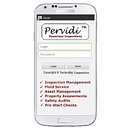
2. Pervidi — strong option for asset/equipment inspections.
It supports online/offline inspections, photos, signatures, timestamps, barcodes/RFID, and failure-driven workflows.
3. SafetyCulture (iAuditor) — excellent general inspection platform.
Good for mobile checklists, Pass/Fail results, photos and corrective actions, but I'd expect the PASS/FAIL sticker to require a printer integration/automation, rather than being a simple native feature.
4. Dynamic Inspections — interesting if inspections are tied to specific equipment/assets.
It has QR-based inspections, offline operation, GPS evidence, photos/signatures, and automatically creates work orders from failed checks.
Think of it as:
Inspector's iPad/Android tablet
→ Scan equipment/inspection ID
→ Open inspection checklist
→ Complete Pass/Fail items
→ Take photos / notes
→ Result = PASS or FAIL
→ Generate inspection record
→ Bluetooth/Wi-Fi mobile label printer
→ Print sticker immediately
→ Apply sticker to equipment
A rugged Zebra-type mobile printer is a common way to handle the physical sticker portion. The important question when evaluating software is not just "does it print?" but:
Can the app automatically send a specific label template to a Bluetooth printer based on the inspection result?
For example:
PASS
versus
FAIL
That's a much more specific requirement than simply generating a PDF report.
If you tell me what kind of inspections you're doing (elevators, fire extinguishers, boilers, electrical, building code, vehicles, playgrounds, etc.), I can narrow this to 3–5 actual products that can do the complete mobile → result → sticker workflow, including the printer/hardware and approximate cost.
Moving building, municipal, or field inspections mobile—complete with on-site resulting and label printing—requires a combination of **field inspection software** (running on iOS or Android) paired with a **rugged mobile thermal label printer** via Bluetooth. Step 1: How to Move Inspections Mobile Transitioning your…
Moving building, municipal, or field inspections mobile—complete with on-site resulting and label printing—requires a combination of field inspection software (running on iOS or Android) paired with a rugged mobile thermal label printer via Bluetooth.
Step 1: How to Move Inspections Mobile
Transitioning your workflow from paper or desktop-bound software to the field involves three essential components:
Step 2: What Apps and Hardware Allow Field Printing?
No single "off-the-shelf" generic app magically connects to a sticker printer without configuration, but there are two primary ways organizations achieve this:
Approach A: Dedicated Government & Field Inspection Software
If you do municipal building, code, or specialized safety inspections, look for platforms that natively support mobile bluetooth printing or integrate with device print services:
Approach B: Customizable Low-Code Mobile Form Builders
If you want to design your own pass/fail criteria and map a custom "Print Sticker" button, use flexible mobile workflow platforms:
Step 3: The Required Field Printing Hardware
To print pass/fail or approval stickers in the field, the software must trigger a portable Bluetooth thermal printer. Recommended rugged field options include:
Specifically designed for field service, mobile ticketing, and on-site receipt/label printing. It connects via Bluetooth to iOS and Android and natively handles direct thermal sticker rolls.
Zebra Mobile Printers (e.g., ZQ Series Go to product viewer dialog for this item.): Industry standard for mobile barcode and compliance sticker printing, easily paired via custom app integrations.
Compact Thermal Printers (e.g., Munbyn / Inkbird portable label options): Great for lighter-duty or indoor commercial property tagging.
If you can share what kind of inspections you perform (e.g., municipal building permits, fire safety, or residential home inspections) and your current database or software , I can narrow down the exact platform and hardware setup that fits your workflow.