
Data as of Aug 25, 2026 · Based on 289 AI responses from ChatGPT, Google AI Overviews, ChatGPT Search and Google AI Mode · See how Parse measures this
Choosing the best accounting software depends on your business size and specific needs. For most small and mid-sized businesses, 


Brands AI recommends here
Ideal for small to mid-sized businesses needing a comprehensive, industry-standard tool. It features extensive integrations and is highly familiar to professional accountants, making tax preparation smoother.
The top choice for service-based businesses, creative firms, and freelancers. It stands out for its intuitive client billing, project-specific invoicing, and easy-to-use time tracking tools.
Best suited for large, fast-growing, or enterprise-level companies. It handles complex, multi-entity financial management and high-volume inventory needs, though it has a higher cost and setup complexity.
QuickBooks OnlineSource | Citation share |
|---|---|
 10 Best Accounting Software – Forbes Advisorhttps://www.forbes.com/advisor/business/software/best-accounting-software/ | 4.3% |
 Best Accounting Software for Small Businesses in 2026https://www.cnbc.com/select/best-accounting-software-for-small-businesses/ | 2.7% |
 Best Accounting Software Programs Reviews of 2026https://www.business.com/categories/accounting-software/ | 2.7% |
 The Best Accounting Software for Small Business | BooXkeepinghttps://www.booxkeeping.com/the-best-accounting-software-for-small-business/ | 2.6% |
 10 Free Accounting Tools for Your Small Businesshttps://www.uschamber.com/co/run/finance/free-accounting-tools-for-small-businesses | 2.0% |
 Best Accounting Software for Small Business - Investopediahttps://www.investopedia.com/the-best-accounting-software-for-small-business-8780908 | 1.8% |
 20+ Best Bookkeeping Software for Businesses (2026 Tool Guide) | Pilot Bloghttps://pilot.com/blog/bookkeeping-software-for-business | 1.6% |
 Best Accounting Software for Small Business of 2026https://www.nerdwallet.com/business/software/best/accounting-software | 1.6% |
 The Best Accounting Software for Small Businesses in 2026https://www.pcmag.com/picks/the-best-small-business-accounting-software | 1.4% |
 The 5 Best Accounting Software for Small Businesses in 2026 | SaaSPodiumhttps://www.saaspodium.com/blogs/accounting-software/best-accounting-software-small-business-2026 | 1.4% |
There isn't one "best" accounting package for everyone—the right choice depends on your business size, industry, budget, and whether you work with an accountant.
For most small businesses in the U.S., the strongest options are:
| Software | Best For | Strengths | Potential Drawbacks |
|---|---|---|---|
| QuickBooks Online | Most small businesses | Widely used, accountant-friendly, strong reporting, payroll and inventory options | More expensive as you grow |
| Xero | Growing teams and international businesses | Unlimited users, clean interface, strong bank reconciliation, multi-currency support | Some advanced features require integrations |
| FreshBooks | Freelancers and service businesses | Excellent invoicing and time tracking | Less robust inventory/accounting depth |
| Zoho Books | Budget-conscious businesses | Strong automation, good value, integrates with Zoho ecosystem | Smaller accountant ecosystem |
| Wave | Solopreneurs and startups | Free core accounting features | Fewer advanced features and integrations |
If you tell me:
I can narrow it down to the best fit for your specific situation.
The overall best accounting software for most businesses is Intuit QuickBooks Online , thanks to its deep feature set, extensive third-party app integrations, and near-universal familiarity among accounting professionals. However, the "best" software depends heavily on your specific business structure, budget, and operational model.
Top Accounting Software Comparison
| Software[1][2][3][4][5] | Best For | Standout Advantage | Starting Price |
|---|---|---|---|
| Intuit QuickBooks Online | Small to Midsize Businesses | Industry standard; unmatched reporting & CPA compatibility. | From $38/mo |
| Xero Accounting Software | Growing Teams | Unlimited users on all plans; sleek cash-flow tools. | From $20/mo |
| FreshBooks Accounting | Service Providers & Freelancers | Intuitive client invoicing and time tracking. | From $21/mo |
| Zoho Books | Automation & Budget-Conscious | Robust free tier; excellent workflow customization. | $0 (under $50k revenue) |
| Wave Accounting | Solopreneurs & Micro-businesses | Free core bookkeeping and invoicing. | $0 for basic tier |
In-Depth Product Breakdown
How to Choose Your System
To help pinpoint the absolute best match for your workflow, could you clarify what industry your business is in, how many people need access to the books, and whether you are primarily selling physical products or services?
QuickBooks Online is generally considered the best all-around accounting software due to its robust features, scalability, and extensive integrations. For modern, cloud-based alternatives, Xero is a top choice, while Wave is excellent for free, simple, or freelance accounting.
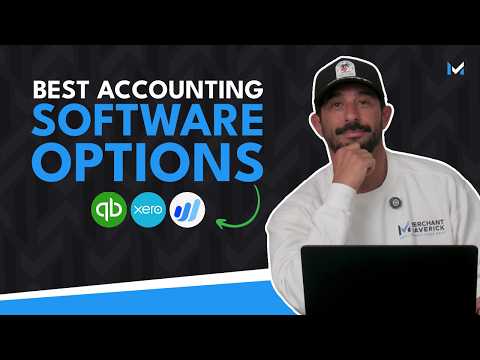
This video provides a comparison of top accounting software options for small businesses:
 57s
57sTop Accounting Software Options (2026)
Xero is known for its user-friendly interface, strong bank reconciliation, and excellent inventory management.
Key Considerations for Choosing
Choosing the “best” accounting software isn’t one-size-fits-all—it depends on your business size, budget, and how complex your finances are. The key things to look for are ease of use, automation, integrations, scalability, and price. Here’s a clear breakdown of the top options (based on current expert rankings and real user feedback).
$349.00•GearMustHave
$349.00•GearMustHave
Why it wins:
Extremely comprehensive (invoicing, payroll, taxes, reporting)
Works well with accountants and banks
Widely used → easier to get help/support
👉 It’s often considered the “default” choice for businesses because it does almost everything well.
Clean interface, easy to learn
Unlimited users even on lower plans
Strong integrations (1,000+ apps)
👉 Great if you want something modern and less clunky than QuickBooks.
Excellent invoicing + time tracking
Very beginner-friendly
👉 Ideal if you’re solo or service-based.
Free tier available
Strong automation + integrations
Scales well as you grow
👉 One of the best value-for-money tools.
Core accounting is free
Simple invoicing and expense tracking
👉 Perfect if you’re just starting and want zero cost.
Strong inventory + reporting
Good for more traditional businesses
👉 Better if you prefer offline software instead of cloud.
A common theme from business owners:
“QuickBooks… does everything… connects to banks… fewer mistakes.”
But also:
Some users feel it’s expensive or bloated
Alternatives like Zoho or Xero are gaining popularity
| Feature | QuickBooks Pro 2024 Plus$349.00•GearMustHave | Xero | FreshBooks | Zoho Books | Wave |
|---|---|---|---|---|---|
| Ease of use | Medium | Easy | Very easy | Easy | Very easy |
| Best for | All-around | Simplicity | Freelancers | Budget + growth | Beginners |
| Pricing | $$$ | $$ | $$ | Free–$$ | Free |
| Automation | High | High | Medium | High | Low |
| Integrations | Excellent | Excellent | Good | Excellent | Limited |
| Scalability | High | High | Medium | High | Low |
Go with QuickBooks if you want the safest, most powerful all-around option
Pick Xero if you want modern + easy
Choose Zoho Books if you want strong features at a low price
Use Wave if you want free and simple


Browse All
The best accounting software for most small businesses is Intuit QuickBooks Online for its comprehensive features, while Xero is top-rated for growing businesses with its user-friendly interface. FreshBooks leads for service-based freelancers and Wave is the best free option.
This video provides a detailed comparison of popular accounting software options:
 1m
1mTop Accounting Software Options by Category
Best Overall for Small Business: QuickBooks Online is considered the industry leader, offering robust reporting, inventory management, and extensive third-party integrations.
Best for Growing Businesses & User Experience: Xero is praised for its clean, intuitive interface and is strong for businesses needing international capabilities or extensive integrations.
Best for Freelancers & Service Providers: FreshBooks excels at project-based invoicing, time tracking, and client management.
Best Free Software: Wave provides free, double-entry bookkeeping, invoicing, and receipt scanning, making it ideal for micro-businesses.
Best for Automation & Startups: Zoho Books offers excellent automation for recurring transactions and is highly affordable, especially for those already using the Zoho ecosystem.
Best for Inventory/Complex Needs: Sage 50cloud is ideal for established businesses needing deeper, desktop-based inventory management.
Watch this video to understand the key differences between QuickBooks and Xero:
 1m
1mKey Considerations
When selecting software, prioritize tools that offer easy bank reconciliation, reliable customer support, and mobile app access. While QuickBooks Online offers the most comprehensive tools, its cost increases with higher plans. Many providers, including Zoho Books and Xero, offer 14–30 day free trials to test functionality.
The “best” accounting software depends a lot on your situation—especially your business size, budget, and how complex your finances are. There isn’t a single winner for everyone, but there are clear top choices depending on needs.
Here’s a clean, up-to-date breakdown of the best options (with real products you can actually get):
$50.00•Walmart + others
4.9
$50.00•Walmart + others•
4.9
Widely considered the industry standard
Handles invoicing, expenses, taxes, payroll, reports
Works well with accountants and integrates with many apps
Strong automation and cloud access
👉 Why it wins: It’s the most complete and scalable option.
Sage 50 Pro Accounting 2026 · $369.99 · 4.8
Powerful desktop accounting software with advanced reporting and inventory features.
Installed locally (not browser-based)
Strong inventory + reporting tools
Good for more complex or established businesses
👉 Best if you want control and depth , not just simplicity.
Quicken Business & Personal Subscription · $47.85 · 3.7
Simple, affordable tool for freelancers to manage both personal and business finances.
Combines personal + business finances
Easy budgeting and expense tracking
Lower cost than enterprise tools
👉 Best if you're solo and want simple bookkeeping without complexity.
NCH Express Accounts Accounting Software · $49.95 · 4.9
Lightweight, easy-to-use accounting software for basic bookkeeping and reporting.
Straightforward interface
Covers invoices, payments, and reports
Good for beginners
👉 Best if you just need basic accounting without bells and whistles.
| Attribute | QuickBooks Online Plus 2024$50.00•Walmart + others | Sage 50 Pro Accounting 2026$369.99•Dell + others | Quicken Business & Personal$47.85•Quicken | NCH Express Accounts$49.95•NCH Software |
|---|---|---|---|---|
| Best for | All-around business | Advanced desktop users | Freelancers | Beginners |
| Cloud-based | ✅ | ❌ | ✅ | ❌ |
| Ease of use | High | Medium | High | Very high |
| Features depth | Very high | Very high | Medium | Basic |
| Price level | $$ | $$$ | $ | $ |
| Scalability | Excellent | Excellent | Limited | Limited |
Focus on these factors (they matter more than brand names):
Ease of use → If it’s confusing, you won’t use it
Features you need → Payroll? Inventory? Taxes?
Scalability → Will it grow with your business?
Integrations → Bank feeds, apps, payment systems
Budget → Subscription vs one-time cost
From small business discussions, many users say:
“QuickBooks is like a Swiss Army knife—it does everything.”
But some also note it can feel expensive or complex as they grow, which is why alternatives like Zoho Books or Wave are often considered.
Most people: go with QuickBooks (safe, powerful choice)
More advanced / offline: Sage 50
Freelancers: Quicken or simpler tools
Tight budget / beginner: NCH or similar lightweight software
If you want, tell me:
personal vs business
size (freelancer, small team, etc.)
budget
…and I’ll narrow it down to the best exact option for you.
Browse All
The best accounting software for most small businesses is Intuit QuickBooks Online for its comprehensive features, while Xero is top-rated for growing businesses with its user-friendly interface. FreshBooks leads for service-based freelancers and Wave is the best free option.
This video provides a detailed comparison of popular accounting software options:
1mTop Accounting Software Options by Category
Best Overall for Small Business: QuickBooks Online is considered the industry leader, offering robust reporting, inventory management, and extensive third-party integrations.
Best for Growing Businesses & User Experience: Xero is praised for its clean, intuitive interface and is strong for businesses needing international capabilities or extensive integrations.
Best for Freelancers & Service Providers: FreshBooks excels at project-based invoicing, time tracking, and client management.
Best Free Software: Wave provides free, double-entry bookkeeping, invoicing, and receipt scanning, making it ideal for micro-businesses.
Best for Automation & Startups: Zoho Books offers excellent automation for recurring transactions and is highly affordable, especially for those already using the Zoho ecosystem.
Best for Inventory/Complex Needs: Sage 50cloud is ideal for established businesses needing deeper, desktop-based inventory management.
Watch this video to understand the key differences between QuickBooks and Xero:
1mKey Considerations
When selecting software, prioritize tools that offer easy bank reconciliation, reliable customer support, and mobile app access. While QuickBooks Online offers the most comprehensive tools, its cost increases with higher plans. Many providers, including Zoho Books and Xero, offer 14–30 day free trials to test functionality.
There isn’t a single “best” accounting software for everyone—it depends on your business size, budget, and how complex your finances are. But based on 2026 comparisons and what most experts consistently rank at the top, a few platforms clearly lead the pack.
QuickBooks Online is widely considered the industry standard for small and mid-sized businesses. It’s the most commonly recommended “best overall” option because it combines strong accounting features with broad accountant support and integrations.
Why it stands out:
Full-featured (invoicing, expenses, payroll, inventory)
Strong reporting and tax tools
Huge ecosystem of integrations (banks, payroll, apps)
Most accountants already know it
Downside: Can feel expensive and a bit complex if you’re just starting out.
Xero is often ranked right alongside QuickBooks, especially for users who want a cleaner, easier interface.
Why people like it:
Very user-friendly design
Unlimited users on many plans
Strong automation (bank reconciliation, invoicing)
Good for remote collaboration with accountants
Downside: Slightly fewer advanced features than QuickBooks for some industries.
FreshBooks is designed for simplicity, especially if you mainly invoice clients and track time/expenses.
Why it stands out:
Extremely easy to use
Great invoicing and time tracking
Good for freelancers, consultants, small agencies
Downside: Not ideal for inventory-heavy or complex businesses.
Zoho Books is often recommended for small businesses that want strong features at a lower price (and sometimes a free tier).
Best overall: QuickBooks Online
Best easy-to-use alternative: Xero
Best for freelancers: FreshBooks
Best value: Zoho Books
If you tell me what kind of business you run (freelance, retail, service, etc.), I can narrow it down to a single best choice for your exact situation.
The honest answer: there isn’t a single “best” accounting software for everyone—there’s a best one for your situation. The right choice depends on things like your business size, budget, and how complex your finances are.
That said, a few tools consistently rank at the top in 2026. Here’s a clear breakdown.
Widely considered the industry standard
Handles invoicing, expenses, payroll, taxes, inventory
Huge ecosystem of integrations
Used by many accountants (easy collaboration)
👉 Why it wins: It’s the most complete all-in-one solution for most businesses
Downside: Can get expensive and slightly complex.
Unlimited users on all plans
Strong automation + clean interface
Great for collaboration and international businesses
👉 Why choose it: Easier to use than QuickBooks and scales well
Downside: Some features limited on lower plans.
Excellent invoicing and client billing
Simple and beginner-friendly
Time tracking + project features
👉 Best if you bill clients regularly (consultants, freelancers)
Affordable pricing (even free tier)
Strong automation and mobile app
Integrates well with Zoho ecosystem
👉 Great if you want powerful features on a budget
Free accounting + invoicing
Good for very small businesses
👉 Best if you’re just starting out with minimal costs
Strong financial controls
Good for multi-user environments
👉 Better suited for mid-sized companies
Modern accounting tools are judged on:
Automation (AI bookkeeping, auto-categorization)
Cloud access (work anywhere)
Real-time reporting
Integrations (banking, payroll, apps)
Ease of use + scalability
Most people: QuickBooks
Want simpler + cheaper: Xero or Zoho Books
Freelancer: FreshBooks
Free option: Wave
Even accountants on Reddit point out that:
“every business has a different setup, so what works for one may not work for another.”
So don’t just pick “#1”—pick what fits your workflow.
Tell me:
Are you a freelancer, small business, or company?
Budget?
Need payroll, inventory, or just invoicing?
I can narrow it down to the exact best option for you.
The top accounting software for 2026 includes QuickBooks Online for overall versatility, Xero for cloud-based collaboration, and FreshBooks for user-friendly service invoicing. Other top contenders include Wave (best free), Zoho Books (best for small business), and Sage Intacct (best for mid-sized firms). These platforms offer automation, tax tools, and bank syncing.
Top Accounting Software Options
This video provides a review of some of the top accounting software options:
 59s
59sKey Factors for Selection
When choosing, prioritize software based on your business size, budget, and specific needs, such as inventory management, multi-currency support, or ease of use for non-financial professionals. Most options offer tiered pricing that scales as your business grows.








