Data as of Aug 25, 2026 · Based on 288 AI responses from ChatGPT and Google AI Overviews · See how Parse measures this
The best ergonomic keyboard depends on your specific needs. For general office workers and those transitioning from a standard layout, the 

Brands AI recommends here
Best for general office use and people new to ergonomic designs. It offers a familiar feel that makes the transition from standard keyboards easy, though it lacks the advanced custom splits of premium models.
Best for users prioritizing RSI relief and maximum comfort. Its concave, split-design layout is highly effective for long-term health but presents a significant learning curve compared to standard keyboards.
LogitechSource | Citation share |
|---|---|
 The 5 Best Ergonomic Keyboards of 2026 - RTINGS.comhttps://www.rtings.com/keyboard/reviews/best/ergonomic | 7.8% |
 Best Ergonomic Keyboard 2026: Split, Curved & Mechanical Options | TestBeforeYouBuyhttps://testbeforeyoubuy.com/guides/office/best-ergonomic-keyboard-2026 | 4.2% |
 Best Ergonomic Keyboard | Lab Tested & Rankedhttps://www.techgearlab.com/topics/small-and-home-office/best-ergonomic-keyboard | 4.1% |
 Seeking the Best Ergonomic Keyboard: My Journey and Shortlisthttps://www.reddit.com/r/ErgoMechKeyboards/comments/1699jul/seeking_the_best_ergonomic_keyboard_my_journey/ | 2.7% |
 BEST Ergonomic Keyboard 2025 Tier List - For Mac, Windows & Morehttps://www.youtube.com/watch | 2.7% |
 Glove80 Keyboard Review: Why It’s the Best Ergonomic Keyboard I’ve Ever Used | by Alessandro Romano | Bootcamp | Mediumhttps://medium.com/design-bootcamp/glove80-keyboard-review-why-its-the-best-ergonomic-keyboard-i-ve-ever-used-d13b91e7318e | 2.5% |
 The best ergonomic keyboards for 2026 - Engadgethttps://www.engadget.com/computing/accessories/best-ergonomic-keyboard-130047982.html | 2.4% |
BEST Ergonomic Keyboard 2025 Tier List - For Mac, Windows ...https://www.youtube.com/watch | 2.0% |
 Best Ergonomic Keyboards 2024 - Forbes Vettedhttps://www.forbes.com/sites/forbes-personal-shopper/article/best-ergonomic-keyboards/ | 1.6% |
 We tried the best-selling ergonomic keyboard on Amazon? – Dygmahttps://dygma.com/blogs/ergonomics/logitech-k860-a-comprehensive-review | 1.6% |
There isn’t a single “best” ergonomic keyboard for everyone—because the right choice depends heavily on how far you want to go (mild comfort vs. full ergonomic overhaul). But I can show you the top-tier options and who each is best for.
Logitech ERGO K860
$149.99•Ergonomic design supports comfortable long-term use, ideal for home or office.
4.6
Logitech Wave Keys
$59.99•Wireless, compact layout with a focus on natural hand positioning.
4.6
Kensington Pro Fit Ergo
$59.99•Affordable ergonomic option for improved comfort during extended typing sessions.
3.7
Logitech ERGO K860 → Best overall
Curved + split layout with built-in wrist rest
Very comfortable with almost no learning curve
Widely recommended and “gold standard” for office use
Logitech Wave Keys → Best budget
Gentle wave shape (not fully split)
Good if you want comfort without relearning typing
👉 If you just want less wrist pain with zero hassle, pick one of these.
Kinesis Freestyle2
$99.00•Ergonomic design suited for comfortable long-term use.
4.4
Kinesis Advantage360
$499.00•Advanced key layout for enhanced productivity and comfort.
Glove80 Ergonomic Keyboard
$384.00•Split layout with adjustable tenting for personalized ergonomic fit.
Kinesis Freestyle2 → Best entry split
Two halves you can position freely
Minimal learning curve, very adjustable
Kinesis Advantage360 → Best for posture
Deep “key wells” + tenting = very natural hand position
Designed to reduce wrist strain long-term
Glove80 Ergonomic Keyboard → Best enthusiast pick
Concave layout + wireless + highly customizable
Often considered top-tier for comfort
👉 These are what people switch to if they type all day or have wrist/shoulder pain.
ErgoDox EZ (fully split, programmable, columnar layout)
Custom keyboards (like Corne, Moonlander)
These maximize ergonomics (column layouts, thumb clusters), but take time to learn.
Key features that matter:
Split design → keeps wrists straight (biggest improvement)
Tenting (tilt) → reduces forearm strain
Curved or column layout → less finger stretching
Soft wrist support → reduces pressure points
Split keyboards are the most effective because they eliminate unnatural wrist angles and shoulder compression The Complete Guide to Split Ergonomic Keyboards.
👉 Casual / office: Logitech ERGO K860
👉 Budget: Logitech Wave Keys
👉 Serious upgrade: Kinesis Freestyle2
👉 Maximum ergonomics: Kinesis Advantage360 or Glove80
If you tell me:
your budget
whether you game or just type
and if you’re okay with a learning curve
…I can narrow it down to one perfect pick for you.
The best ergonomic keyboards focus on reducing wrist strain and improving posture, with top picks including the Logitech ERGO K860 (best overall/comfort), Kinesis Freestyle2 (best split design), and MoErgo Glove80 (best concave). Key features include a split, tented, or curved layout that keeps hands in a neutral position.
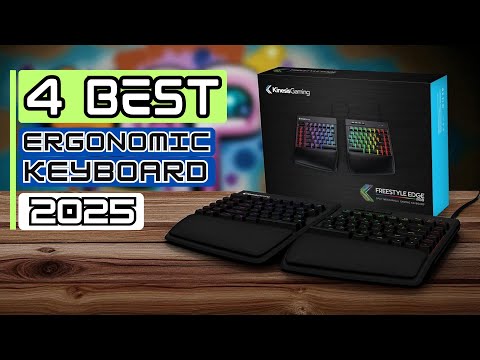
This video provides an overview of the best ergonomic keyboards for 2025:
 51s
51sTop Ergonomic Keyboard Recommendations
Kinesis Freestyle2 (available on Amazon) allows the two halves to separate, reducing shoulder and forearm strain.
Key Considerations
This video explains the importance of tenting and wrist rests for ergonomic typing:
 07:22
07:22For most users looking for a balance of comfort, price, and ease of use, the Logitech ERGO K860 is frequently rated the top choice.
The best ergonomic keyboards focus on splitting the layout, tenting (angling), and reducing strain, with top choices including the Kinesis Advantage360 Professional for maximum comfort (concave keys), the Logitech ERGO K860 for a familiar, accessible design, and the Dygma Defy for high adjustability.
This video provides a comparison of several popular ergonomic keyboards:
 58s
58sTop Ergonomic Keyboards by Category
.
Key Ergonomic Factors to Consider
Note: For individuals with severe RSI, specialized options like theSvalboard are worth exploring.
There isn’t one single “best” ergonomic keyboard for everyone—it depends a lot on how much comfort you want vs. how much you’re willing to adapt. But based on recent expert reviews and user consensus, a few models consistently stand out in 2026.
Logitech ERGO K860
This is the safest recommendation for most users. It has a gently curved split design, built-in wrist rest, and almost no learning curve. You can start using it comfortably right away, which is why many reviewers call it the “best first ergonomic keyboard.”
ZSA Moonlander
A fully split keyboard with adjustable tenting and a column-style layout. It’s designed to reduce finger travel and strain as much as possible—but it takes time to get used to. Enthusiasts and programmers often prefer it because you can fully customize it.
Kinesis Advantage360
This one is extreme ergonomics: concave key wells and thumb clusters reduce finger stretching significantly. It’s often recommended for people with repetitive strain injuries or long daily typing sessions.
Want something simple that “just works”? → Logitech ERGO K860
Want maximum ergonomics and customization? → Moonlander
Want the most aggressive pain-relief design? → Kinesis Advantage360
The “best” ergonomic keyboard is really about trade-offs:
Comfort on day 1: K860
Long-term ergonomic optimization: Moonlander or Kinesis
Most people should start with K860 , then upgrade only if they feel limited
If you tell me your budget, whether you game, and whether you already have wrist pain, I can narrow it down to a very specific pick.
There isn’t a single “best ergonomic keyboard” for everyone—the best choice depends on how much comfort vs. learning curve you’re willing to trade off. But based on 2026 testing and expert roundups, we can narrow it down pretty clearly.
Logitech ERGO K860 is widely considered the safest “first ergonomic keyboard.”
It’s a curved split-style keyboard (not fully separated), which means:
Very easy to adapt to (no relearning typing)
Noticeably reduces wrist bending
Built-in cushioned wrist rest for comfort
Wireless and office-friendly design
Reviewers consistently rank it as the best “plug-and-play” ergonomic option for most users because it improves posture without forcing a big adjustment period.
👉 If you want comfort without complexity, this is usually the answer.
Kinesis Advantage360 Pro is often called the “endgame” ergonomic keyboard.
Why it stands out:
Deep contoured key wells that reduce finger movement
True split design + thumb clusters (space/backspace moved to thumbs)
Highly programmable (great for custom layouts)
Designed specifically to reduce repetitive strain
It’s one of the strongest choices if you already have wrist/hand discomfort or type all day.
Tradeoff: there’s a learning curve (1–4 weeks).
ZSA Moonlander Mark I is a popular fully split keyboard for enthusiasts.
Highlights:
Fully detachable halves (you can position them shoulder-width)
Adjustable tenting angles
Extremely customizable key mapping
Strong community and support ecosystem
It’s often recommended for programmers and power users who want control over layout and posture.
You want easy comfort right away: → Logitech ERGO K860
You want maximum ergonomic health / no compromise: → Kinesis Advantage360
You want customization + split ergonomics: → ZSA Moonlander
The “best” ergonomic keyboard is really about your tolerance for learning curve:
Flat curved boards = easiest transition
Split keyboards = better long-term posture
Contoured split boards = most ergonomic, but hardest to adapt to
If you tell me your use case (gaming, coding, office work, wrist pain or not), I can narrow it to a single best pick for you.
The best ergonomic keyboards focus on splitting the layout, tenting (angling), and reducing strain, with top choices including the Kinesis Advantage360 Professional for maximum comfort (concave keys), the Logitech ERGO K860 for a familiar, accessible design, and the Dygma Defy for high adjustability.
This video provides a comparison of several popular ergonomic keyboards:
58sTop Ergonomic Keyboards by Category
.
Key Ergonomic Factors to Consider
Note: For individuals with severe RSI, specialized options like theSvalboard are worth exploring.
If you want the best ergonomic keyboard , there isn’t a single universal winner—it depends heavily on how far you’re willing to go (simple comfort vs. fully redesigned typing posture). The key factors that matter most are split design, tenting (angle adjustment), key layout, and wrist support.
Below are the top picks right now, broken down by category—from beginner-friendly to “endgame” ergonomic setups.
$384.00•MoErgo
$384.00•MoErgo
This is widely considered one of the most advanced ergonomic keyboards available. It uses a concave keywell and fully split design , which drastically reduces finger movement and wrist strain.
👉 Best for: heavy typists, programmers, RSI prevention
👉 Downside: expensive and takes time to learn
Logitech ERGO K860 · $149.99 · 4.6
Curved split keyboard with padded wrist rest and an easy learning curve.
If you want comfort without relearning typing, this is the sweet spot. It has a curved split layout and large wrist rest , reducing wrist bending significantly.
👉 Best for: office work, plug-and-play comfort
👉 Downside: less adjustable than true split keyboards
Kinesis Freestyle Edge RGB · $159.00
Fully split mechanical keyboard with adjustable positioning and strong customization.
A great balance between ergonomics and usability. You can physically separate the halves and add tenting for better wrist alignment.
👉 Best for: gamers, developers, customization
👉 Downside: tenting kit often sold separately
Kinesis Advantage360 Professional · $499.00
High-end contoured keyboard with thumb clusters and deep ergonomic design.
This is the gold standard for reducing strain : contoured key wells + thumb clusters move workload away from weak fingers.
👉 Best for: RSI recovery, long-term health
👉 Downside: steep learning curve + very expensive
Logitech Wave Keys · $59.99 · 4.6
Affordable wave-shaped keyboard with built-in wrist support.
A gentle introduction to ergonomics with a wave shape and cushioned palm rest.
👉 Best for: casual users
👉 Downside: not truly split, limited ergonomic benefits
| Attribute | Glove80 Ergonomic Keyboard$384.00•MoErgo | Logitech ERGO K860$149.99•Walmart - Logitech + others | Kinesis Freestyle Edge RGB$159.00•Kinesis Gaming + others | Kinesis Advantage360 Professional$499.00•Kinesis Ergo + others | Logitech Wave Keys$59.99•Logitech + others |
|---|---|---|---|---|---|
| Design type | Fully split + contoured | Fixed split curved | Fully split | Fully split + contoured | Wave (non-split) |
| Learning curve | High | Very low | Low–medium | Very high | Very low |
| Adjustability | Excellent | Minimal | Excellent | Excellent | Minimal |
| Comfort level | ⭐⭐⭐⭐⭐ | ⭐⭐⭐⭐ | ⭐⭐⭐⭐ | ⭐⭐⭐⭐⭐ | ⭐⭐⭐ |
| Best for | Enthusiasts | Office users | Power users | RSI recovery | Budget comfort |
| Price range | $$$$ | $$ | $$–$$$ | $$$$$ | $ |
Just want comfort with no hassle? → ERGO K860
Want real ergonomic benefits? → Kinesis Freestyle or Glove80
Have wrist pain / RSI? → Advantage360 or Glove80
On a budget? → Wave Keys
👉 The big insight:
“Ergonomic-looking” ≠ truly ergonomic
Fully split + tenting + columnar layout = maximum benefit
Browse All
The top ergonomic keyboards in 2026 for reducing strain and improving comfort include the Logitech ERGO K860 (best overall), Kinesis Advantage360 Professional (best advanced split/concave), and MoErgo Glove80 (best contoured). These keyboards excel by offering split layouts, tenting (angling), and integrated palm rests that minimize wrist pronation and shoulder strain.
This video provides a detailed review of the Logitech ERGO K860 and why it's considered a top choice for ergonomic comfort:
 1m
1mTop Ergonomic Keyboards for 2026
Best Overall / Best for Most People: Logitech ERGO K860
Best Advanced/Contoured:Kinesis Advantage360 Professional
Best Contoured/Wireless: MoErgo Glove80
Best Budget Option:Logitech Wave Keys
Best Split/Mechanical: Kinesis Freestyle2
Key Ergonomic Features to Look For
For most users, a fixed split design like the Logitech ERGO K860 offers the best comfort upgrade without a difficult learning curve. For those suffering from severe RSI or looking to optimize their workstation, fully split and contoured options like the Kinesis Advantage360 or Glove80 are highly recommended.
The “best” ergonomic keyboard isn’t one single model—it depends on how serious you are about ergonomics , your budget , and whether you’re willing to adapt to a new layout. The biggest factors that matter are split design , wrist support , and adjustability (like tenting and tilt) Best Ergonomic Keyboard for All-Day Typing in 2026 — Remote Chance.
Here are the top options in 2026, broken down by use case.
$149.99•Logitech + others
4.6 (4.3K)
$149.99•Logitech + others•
4.6 (4.3K)
This is widely considered the safest “best” pick because:
Curved split layout reduces wrist strain
Large cushioned wrist rest
Feels like a normal keyboard (easy transition)
👉 Multiple reviews rank it #1 for most users due to comfort + ease of use
Kinesis Advantage360 Professional · $499.00
A fully split, tented keyboard with deep key wells for maximum ergonomic positioning.
Fully split halves = shoulder-width positioning
Tented design reduces forearm rotation
Sculpted key wells match finger length
👉 This is what people move to if they have wrist pain or want “maximum” ergonomics Source 1 ⚠️ Downsides: expensive + steep learning curve
Kinesis Freestyle2 · $99.00 · 4.4
A flexible split keyboard that lets you position each half independently for better posture.
Adjustable distance between halves
Optional tenting accessories
More affordable than high-end models
👉 Great middle ground between comfort and flexibility
Logitech Wave Keys · $59.99 · 4.6
An affordable wave-shaped keyboard with a cushioned palm rest for light ergonomic support.
Gentle ergonomic curve (not fully split)
Comfortable wrist rest
Easy to use right away
👉 Ideal if you just want some ergonomic benefit without a big adjustment
MoErgo Glove80 Ergonomic Keyboard · $384.00
A highly customizable split keyboard with concave key wells designed for maximum comfort and efficiency.
Deep concave layout (like Kinesis but lighter)
Highly customizable firmware
Loved by keyboard enthusiasts
👉 Best if you’re willing to invest time learning a new layout
| Attribute | Logitech ERGO K860$149.99•Logitech + others | Kinesis Advantage360 Professional$499.00•Kinesis Ergo + others | Kinesis Freestyle2$99.00•Kinesis Ergo + others | Logitech Wave Keys$59.99•Logitech + others | MoErgo Glove80$384.00•MoErgo |
|---|---|---|---|---|---|
| Ergonomic level | Medium | Very high | High | Low–medium | Very high |
| Learning curve | Very low | High | Medium | None | High |
| Split design | Fixed split | Fully split | Fully split | No | Fully split |
| Wrist support | Excellent | Optional | Optional | Good | Detachable |
| Best for | Most people | RSI / power users | Adjustable setups | Budget users | Enthusiasts |
| Price range | $$ | $$$$ | $$ | $ | $$$$ |
Just want comfort without hassle? → ERGO K860
Have wrist pain / RSI? → Kinesis Advantage360
Want flexibility but not extreme? → Freestyle2
On a budget? → Wave Keys
Want “ultimate” ergonomic setup? → Glove80
If you want, tell me:
your budget
Mac vs Windows
gaming vs typing
…and I’ll narrow it down to one perfect pick for you.
Browse All