Data as of Aug 25, 2026 · Based on 356 AI responses from ChatGPT Search and Google AI Mode · See how Parse measures this
For most users who want comfort plus productivity features, choose the 
 Anker
AnkerBrands AI recommends here
Best for general productivity and comfort: pick Logitech MX Master when you want a sculpted, multi-button mouse that balances ergonomic support with productivity features; caveat: it’s not a vertical design for wrist-specific relief.
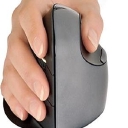
Best budget vertical option: choose Anker Vertical Mouse when you want low-cost vertical ergonomics to reduce forearm twist and wrist strain; caveat: build quality and advanced features are limited compared with premium models.
Best for wrist pain and pronation: pick Evoluent VerticalMouse 4 to maintain a neutral forearm position and reduce strain; caveat: vertical mice take time to adapt and may lack the MX Master’s productivity extras.
LogitechSource | Citation share |
|---|---|
 The Best Ergonomic Mouse of 2026: Mice Reviews - RTINGS.comhttps://www.rtings.com/mouse/reviews/best/ergonomic | 8.9% |
 The Best Ergonomic Mouse | Lab Tested & Rankedhttps://www.techgearlab.com/topics/small-and-home-office/best-ergonomic-mouse | 5.3% |
 5 Best Ergonomic Mice (2025), Tested and Reviewed | WIREDhttps://www.wired.com/gallery/best-ergonomic-mouse/ | 2.4% |
 The Most Recommended Ergonomic Mice by the Ergonomics Expertshttps://ergo-plus.com/the-most-recommended-ergonomic-mice-by-the-ergonomics-experts/ | 2.2% |
The Best Mouse | Lab Tested & Rankedhttps://www.techgearlab.com/topics/small-and-home-office/best-mouse | 1.9% |
 The Best Ergonomic Mice of 2025https://www.howtogeek.com/796113/best-ergonomic-mouse/ | 1.7% |
5 Ergonomic Mouse Designs | 2026 Editionhttps://ergonomicszone.com/ergonomic-mouse/ | 1.6% |
 Looking for the Best Vertical Mouse beyond Logitech - YouTubehttps://www.youtube.com/watch | 1.4% |
BEST Ergonomic Mouse in 2025? - I Ranked My Favorite & ...https://www.youtube.com/watch | 1.3% |
I Tried Every Kind of Ergonomic Mouse for 1 Yearhttps://www.youtube.com/watch | 1.2% |
The best ergonomic mouse options vary by design preference, hand size, and specific comfort needs . Reviewers from authoritative tech sites like RTINGS and PCMag highlight different styles—including vertical profiles, standard right-handed sculpting, and thumb trackballs—to relieve wrist strain and forearm twisting.
Top Vertical Ergonomic Mice
Vertical mice rotate your hand into a natural "handshake" position to minimize pressure on the wrist and lower muscle fatigue.
Add to list
Add to list
Add to list
Top Traditional & Trackball Mice
If you prefer a standard layout or want to eliminate arm movement entirely, contoured layouts and trackballs offer alternative posture support.
Add to list
Add to list
To pinpoint the exact right fit, let me know:
If you want one ergonomic mouse for everyday work, my top pick right now is the Logitech MX Master 4. RTINGS currently ranks it as its best ergonomic mouse overall, citing its comfortable right-handed shape, excellent scrolling, and refined ergonomics.
If your main concern is wrist pain or fatigue, I'd choose the Lift over the MX Master 4. If you simply want the most comfortable all-around work mouse, I'd choose the MX Master 4.
If you tell me your hand size (small/medium/large), right- or left-handed, and whether you use it mainly for work, gaming, or both, I can narrow it down to the best 1–2 options for you.
If you want one ergonomic mouse that’s excellent for everyday work, my top pick right now is the Logitech MX Master 4.
Independent testing currently ranks it #1 among ergonomic mice and also the best mouse for work.
If your main priority is reducing wrist/forearm rotation, I'd choose the Logitech Lift instead:
Its 57° vertical "handshake" orientation puts your hand in a more natural position. It's particularly good for small-to-medium hands, and there's a left-handed version.
My quick recommendation:
If you tell me your hand size (small/medium/large), right- or left-handed, and whether you have wrist/hand discomfort, I can narrow it down to the best 2–3 choices for you.
The best ergonomic mouse options balance comfort, wrist support, and precise tracking to drastically reduce repetitive strain. To find the perfect fit, you should choose a design based on your hand size and whether you prefer a traditional flat design or a vertical handshake position.
The top ergonomic mice currently on the market excel at unique comfort priorities:
It features a highly praised contoured shape with a generous thumb rest that balances premium office functionality with deep hand support.
Equipped with an ultra-quiet click design and a dual-wheel setup, including an electromagnetic MagSpeed wheel for hyper-fast scrolling and a secondary thumb wheel for horizontal timelines.
Tracks beautifully on almost any surface—including glass—thanks to its advanced 8,000 DPI sensor.
Features a prominent 57-degree vertical handshake orientation that eliminates forearm twisting and significantly reduces wrist pressure.
It is purposefully sculpted and sized to fit small-to-medium hands like a glove.
Operates on a single AA battery providing up to two years of life, offers near-silent clicking, and features an automatic smart-shifting scroll wheel.
Offers an incredibly affordable and accessible entry point to experiencing a vertical, health-conscious handshake wrist alignment.
Includes a very lightweight 3.4-ounce shell with textured grips, 5 easy-access buttons, and on-the-fly adjustable DPI settings.
Powered by AAA batteries and relies on a plug-and-play 2.4GHz wireless nano USB receiver.
To help narrow down your selection, could you tell me if you are currently experiencing any specific wrist or forearm pain ? Sharing your hand size (small, medium, or large) or whether you require a left-handed model will also help me pick the absolute best shape for you.
The "best" ergonomic mouse depends entirely on what kind of discomfort you are trying to solve and how your hand rests on a desk . Reviewers and ergonomic experts generally split the top choices into four distinct categories:
To help narrow this down, tell me:
If you want one ergonomic mouse for everyday work, I’d pick the Logitech Lift for most people.
🥇 Best for most people: Logitech Lift — Its 57° vertical “handshake” shape is comfortable for long work sessions, and it’s particularly well suited to small-to-medium hands. There’s also a left-handed version. RTINGS currently ranks it as its best mid-range ergonomic/vertical mouse.
🏆 Best for large hands: Logitech MX Vertical — A larger, more substantial vertical mouse with USB-C charging and a 4,000-DPI sensor. RTINGS specifically finds it better suited to larger hands than the Lift.
🎮 Best if you also game: Razer Pro Click V2 Vertical — More performance-oriented than the Logitech models, with a 1000-Hz polling rate and better gaming performance while retaining a vertical ergonomic design.
💰 Best value: Logitech Lift — At roughly $60–70 in current listings, it's hard to beat for a quality ergonomic vertical mouse.
Logitech Lift - $69.99 (Staples)
Logitech MX Vertical - $99.99 (Logitech)
Razer Pro Click V2 Vertical - $119.99 (Micro Center)
Keychron M5 8K - $59.49 (Best Buy)
My recommendation: If this is primarily for office work, browsing, spreadsheets, or programming, get the Lift unless you have large hands. If you tell me your hand size (small/medium/large), right- or left-handed, budget, and whether you game, I can narrow it down to the best one for you.
| If you want... | Get |
|---|---|
| Best overall | MX Master 4 |
| Maximum ergonomic/vertical feel | Logitech Lift |
| Large hands + vertical mouse | MX Vertical |
| Gaming + ergonomics | Razer Pro Click V2 Vertical RTINGS.com |
Personally, I'd choose the Lift if your main concern is wrist comfort, and the MX Master 4 if you want the best combination of comfort and productivity.
If you tell me your hand size (small/medium/large), right- or left-handed, and whether you use it mainly for work or gaming, I can narrow it down to the best 2–3 choices.
The absolute best ergonomic mouse depends entirely on your specific comfort needs, hand size, and whether you prefer moving your arm or keeping your hand stationary.
Best Vertical Mice (Natural Handshake Position)
Vertical mice tilt your wrist to a 57-degree angle, reducing muscle strain and preventing carpal tunnel symptoms.
Best overall for medium to large hands.
Features a premium textured rubber grip and cross-computer control via Logitech Flow.
Available at Best Buy.
Best for small to medium hands.
Offers whisper-quiet clicks and comes in dedicated left-handed variations.
Available at Logitech.
Best budget-friendly choice.
Provides excellent entry-level handshake posture support at a fraction of the cost.
Available at Anker US.
Best Trackball Mice (Stationary Wrist Support)
Trackball mice remain completely still on your desk. You move the cursor using only your thumb or fingers, making them ideal for severe wrist pain or tight workspaces.
Best heavy-duty stationary mouse.
Features an adjustable hinge that tilts up to 20 degrees to customize your forearm posture.
Available at Best Buy.
Best value trackball mouse.
Delivers a highly sculpted, muscle-relaxing shape with a battery life that lasts up to two years.
Available at Staples.
Quick Comparison
| Mouse Model | Type | Best For | Connection |
|---|---|---|---|
| Logitech MX Vertical | Vertical (57°) | Large/Medium Hands | Bluetooth / USB Dongle / Wired |
| Logitech Lift | Vertical (57°) | Small Hands & Lefties | Bluetooth / Logi Bolt Dongle |
| Anker Wireless Vertical | Vertical | Budget Buyers | 2.4GHz USB Dongle |
| Logitech MX Ergo S Plus | Trackball | Maximum Wrist Relief | Bluetooth / Logi Bolt Dongle |
| Logitech Ergo M575S | Trackball | Tight Desk Spaces | Bluetooth / Logi Bolt Dongle |
To help narrow down the choice, are you currently dealing with wrist or forearm pain , or just looking for a proactive upgrade? Sharing your hand size (small, medium, large) can also help find the perfect physical fit.

If you want one ergonomic mouse for long hours of work, my pick is the Logitech MX Vertical.
$108.99
Its 57° vertical “handshake” grip keeps your forearm in a more neutral position than a conventional mouse. It also has a rechargeable battery, 4,000-DPI sensor, Bluetooth/USB connectivity, and Logitech's excellent customization software. It's particularly well suited to medium-to-large hands.
$69.99
I'd actually choose the Lift if you have small/medium hands or want something less bulky. RTINGS currently calls it its best mid-range ergonomic mouse, and it has the same general vertical-handshake concept, quiet clicks, Bluetooth/USB connectivity, and even a left-handed version.
$119.99
The MX Master 4 is RTINGS' current #1 ergonomic mouse overall. It's more like a traditional mouse, but has an extremely comfortable sculpted shape, thumb rest, horizontal scroll wheel, and lots of productivity features.
My quick recommendation:
If you tell me your hand size (small/medium/large), right- or left-handed, budget, and whether you're using it for work or gaming, I can narrow it down to the best 2–3 choices.
If you want one best ergonomic mouse for most people, I’d pick the Logitech MX Master 4.
$119.99
| Mouse | Best for | Why |
|---|---|---|
| Logitech MX Master 4 | 🏆 Best overall | Extremely comfortable, excellent thumb support, superb scrolling, lots of customizable controls |
| Logitech Lift | 🖐️ Wrist/forearm comfort | Vertical “handshake” grip reduces forearm rotation; particularly good for small/medium hands |
| Logitech MX Vertical | 🖐️ Maximum vertical ergonomics | 57° vertical angle and a fuller grip; better suited to larger hands |
| Logitech MX Ergo S Plus | 🎯 Minimal arm movement | Trackball design lets you control the cursor without moving your arm much |
RTINGS currently ranks the MX Master 4 as its best ergonomic mouse overall, while it recommends the Lift as its best vertical mouse for most people.
$79.99
I'd choose the Lift instead of the MX Master 4 if wrist/forearm strain is your primary concern. Its vertical orientation keeps your hand in a more natural handshake position. The tradeoff is that it's less feature-rich and is relatively small, so it isn't ideal for large hands.
$99.99
Quick recommendation:
If you tell me your hand size (length in inches/cm), whether you're right- or left-handed, and whether you use it 8+ hours/day, I can narrow it down to the best one for you.
The absolute best ergonomic mouse for most people is the Logitech MX Master 4 Go to product viewer dialog for this item. , thanks to its deeply supportive contoured shape, premium dual-scroll wheels, and newly integrated haptic feedback. However, because "ergonomic" depends entirely on your hand size and physical comfort needs, the top industry choices span across standard contoured shapes, vertical "handshake" designs, and trackballs.
Top Ergonomic Mice At a Glance
| Product | Design Type | Best For | Standout Feature |
|---|---|---|---|
| Logitech MX Master 4 Go to product viewer dialog for this item. | Contoured (Traditional) | Overall Productivity | Haptic gesture controls & dual wheels |
| [Logitech Lift Go to product viewer dialog for this item. ](https://www.logitech.com/en-us/shop/p/lift-vertical-ergonomic-mouse) | Vertical (57° Angle) | Small to Medium Hands | Whisper-quiet clicks & left-hand variant |
| Logitech MX Vertical Go to product viewer dialog for this item. | Vertical (57° Angle) | Large Hands | Premium rubberized grip & spacious form |
| Logitech MX Ergo S Plus Go to product viewer dialog for this item. | Thumb Trackball | Desk Space / Wrist Pain | Adjustable 20° tilt wedge |
| Anker Wireless Vertical Go to product viewer dialog for this item. | Vertical | Budget Seekers | Exceptionally low price point |
Detailed Product Breakdown
Cradles the hand in a natural, slightly tilted position that minimizes palm fatigue during long hours of use.
Features an electromagnetic MagSpeed wheel that scrolls 1,000 lines per second, alongside a dedicated thumb wheel for horizontal navigation.
Boasts a massive 8,000 DPI sensor that tracks seamlessly on surfaces as tricky as glass.
Keeps your hand in a neutral "handshake" position at a 57-degree angle, removing pressure from the carpal tunnel.
Perfect if standard ergonomic mice feel too massive, as this is custom-sculpted specifically for small-to-medium hand sizes.
Delivers a stellar 2-year battery life on a single AA battery and offers a dedicated left-handed version.
Features the same medical-grade 57-degree vertical twist as the Lift, but features a elongated profile built for larger palms.
Reduces muscular strain by requiring four times less overall hand movement compared to standard models.
Employs USB-C fast charging that yields up to four months of battery on a single cycle.
Completely eliminates forearm motion by utilizing a high-precision thumb trackball to navigate the screen.
Includes a detachable wedge allowing you to tilt the device up to an additional 20 degrees to perfectly match your arm's resting angle.
Ideal for cramped desks or irregular surfaces since the mouse chassis itself never has to slide around.
Serves as an affordable entry point for testing if a vertical handshake position alleviates your pain.
Provides highly functional five-button mapping and an adjustable DPI toggle switch.
To help tailor this recommendation, what specific symptoms or pain are you experiencing (e.g., wrist stiffness, pinky finger numbness, forearm strain), and what is your general hand size?