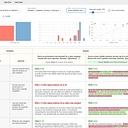
Data as of Aug 25, 2026 · Based on 340 AI responses from ChatGPT Search and Google AI Mode · See how Parse measures this
Choose the tool that fits your team: 


 LangSmith
Brands AI recommends here
Named in 78% of answers
Best for teams that want a visual, UI-first workspace to version, A/B test, and roll out prompts without frequent code deployments; strong collaborative features but less code-native than engineering tools.
Named in 61% of answers
Good when you need open-source or traceable prompt logging with automatic versioning and evaluation; suitable for teams wanting self-hosting and trace integration, though UI polish varies.
Named in 54% of answers
Named in 47% of answers
Best when your stack uses LangChain/LangGraph: offers tight observability, versioning, and prompt evaluation tied into LangChain apps—less useful if you’re not in that ecosystem.
Source | Citation share |
|---|---|
 Best Prompt Versioning Tools for Production Teams (2026) - Articles - Braintrusthttps://www.braintrust.dev/articles/best-prompt-versioning-tools-2025 | 4.7% |
 5 Best Tools for Prompt Versioning - Maxim AIhttps://www.getmaxim.ai/articles/5-best-tools-for-prompt-versioning/ | 3.3% |
 Any good prompt management & versioning tools out ... - Reddithttps://www.reddit.com/r/LangChain/comments/18rb334/any_good_prompt_management_versioning_tools_out/ | 3.3% |
Top 5 Prompt Versioning Tools in 2025: Essential Infrastructure for ...https://www.getmaxim.ai/articles/top-5-prompt-versioning-tools-in-2025-essential-infrastructure-for-production-ai-systems/ | 3.0% |
7 best prompt management tools in 2026 (tested and compared) - Articleshttps://www.braintrust.dev/articles/best-prompt-management-tools-2026 | 2.7% |
 Top 5 AI Prompt Management Tools for 2026https://arize.com/blog/top-5-ai-prompt-management-tools-of-2025/ | 2.3% |
Top 5 Prompt Versioning Tools for Enterprise AI Teams in 2026https://www.getmaxim.ai/articles/top-5-prompt-versioning-tools-for-enterprise-ai-teams-in-2026/ | 2.2% |
 Prompt Management Systems Compared | Nearformhttps://nearform.com/digital-community/prompt-management-systems-compared/ | 1.6% |
Blog Post - 12 Best Prompt Management Tools for 2025https://promptaa.com/blog/prompt-management-tools | 1.6% |
 Prompt Registry | MLflow AI Platformhttps://mlflow.org/docs/latest/genai/prompt-registry/ | 1.5% |
For a **growing production library of system prompts**, I’d use a dedicated prompt registry rather than treating prompts as ordinary Git files. ### My shortlist Tool | Best for | Why I’d choose it
For a growing production library of system prompts, I’d use a dedicated prompt registry rather than treating prompts as ordinary Git files.
| Tool | Best for | Why I’d choose it |
|---|---|---|
| langfuse.com | Best overall for engineering teams | Open-source/self-hostable, immutable prompt versions, labels for dev/staging/prod, diffs, rollbacks, and tight observability/evaluation integration. Langfuse Langfuse |
| braintrust.dev | Best if evals are central | Prompts are versioned independently of code and tied directly to experiments, evaluations, production tracking, and environments. Braintrust Braintrust |
| promptlayer.com | Best dedicated prompt CMS/registry | Strong collaborative editor, diffs, commit messages, release labels, A/B testing, and runtime prompt retrieval. PromptLayer PromptLayer |
| Git + YAML/Markdown | Small teams / maximum simplicity | Excellent auditability and PR workflow, but weaker at runtime deployment, non-engineer editing, prompt-specific metadata, and production rollbacks. |
Start with Langfuse if you're primarily an engineering team.
The model I'd use is:
Prompt name
  └── immutable versions
       ├── v17
       ├── v18
       └── v19
            ├── staging
            ├── production
            └── canary
Your application should reference production, not v19. The registry then controls which immutable version that label points to. That gives you extremely clean rollbacks: move production back to the previous version rather than redeploying application code. Langfuse explicitly supports this version/label model and prompt diffs.
I'd also store metadata with every prompt:
customer_support.systemI wouldn't necessarily abandon Git.
A particularly good setup is:
Git = source/audit/review workflow Prompt registry = runtime/deployment system
For example:
PR
 ↓
prompt change
 ↓
automated evals
 ↓
merge
 ↓
registry version created
 ↓
staging
 ↓
evaluation / approval
 ↓
production label
 ↓
application fetches production prompt
Langfuse even documents syncing prompt versions back to Git, so you can have repository-native review/history while keeping the registry as the deployment source of truth.
If your organization is already heavily invested in evaluation-driven development, I'd lean Braintrust instead; its prompt versioning is directly integrated with evaluations, experiments, environments, and production tracking.
Bottom line:
If you tell me your stack (e.g. OpenAI/Anthropic, Python/TS, GitHub, Kubernetes, self-hosted vs SaaS), I can narrow this to a concrete architecture and migration plan.
For example:
PR
 ↓
prompt change
 ↓
automated evals
 ↓
merge
 ↓
registry version created
 ↓
staging
 ↓
evaluation / approval
 ↓
production label
 ↓
application fetches production prompt
Langfuse even documents syncing prompt versions back to Git, so you can have repository-native review/history while keeping the registry as the deployment source of truth.
If your organization is already heavily invested in evaluation-driven development, I'd lean Braintrust instead; its prompt versioning is directly integrated with evaluations, experiments, environments, and production tracking.
Bottom line:
When managing a growing library of system prompts, traditional version control (like Git) falls short . While Git handles text history, it doesn't track **prompt performance, latency, cost, evaluations, or cross-functional collaboration** between engineers and domain…
When managing a growing library of system prompts, traditional version control (like Git) falls short . While Git handles text history, it doesn't track prompt performance, latency, cost, evaluations, or cross-functional collaboration between engineers and domain experts.
Dedicated prompt registries and PromptOps platforms bridge this gap. The best choice depends on whether your team is developer-first or cross-functional.
Top Prompt Management & Version Control Systems
Key Features to Look For
staging or production dynamically via an SDK, avoiding hardcoded text deployments.To help narrow down the best fit, tell me:
The best tool depends on your team's workflow, but **Langfuse** (open-source/flexible), **[LangSmith](https://www.langchain.com/langsmith)** (LangChain-native), and **PromptLayer** (cross-functional UI) are the leading dedicated prompt registries and version control systems in 2026. As noted by…
The best tool depends on your team's workflow, but Langfuse (open-source/flexible), LangSmith (LangChain-native), and PromptLayer (cross-functional UI) are the leading dedicated prompt registries and version control systems in 2026.
As noted by LangWatch , treating production prompts as versioned infrastructure gives “every prompt an immutable version ID and a centralized registry so you always know which version is running and can trace each output back to it.”
Top Prompt Registries & Version Control Tools
| Tool | Best For | Key Features |
|---|---|---|
| Langfuse | Open-source & self-hosted flexibility | Prompt management, tracing, and evaluations with cloud or self-hosted options. |
| LangSmith | LangChain & LangGraph stacks | Deep integration with agent context, tools, traces, and testing playgrounds. |
| PromptLayer | Cross-functional & non-technical collaboration | Visual editing, release labels, pull-request-style approvals, and version tracking. |
| Promptfoo | Git-native / Config-as-code workflows | Local CLI-driven evaluation and versioning where your git repository acts as the source of truth. |
| Braintrust | Evaluation-first engineering teams | Rigorous unit-testing, scoring, and prompt experimentation built directly into CI/CD. |
Choosing Your Approach
To help narrow down the ideal choice, tell me:
For a growing library of **system prompts**, I’d treat prompts like production artifacts: version them, review changes, attach evaluations, promote versions through environments, and keep rollback simple. The “best” system depends on whether you want a Git-first workflow, a dedicated registry, or a full LLMOps…
For a growing library of system prompts, I’d treat prompts like production artifacts: version them, review changes, attach evaluations, promote versions through environments, and keep rollback simple. The “best” system depends on whether you want a Git-first workflow, a dedicated registry, or a full LLMOps platform.
| Need | Strong candidates | Why |
|---|---|---|
| Git-native engineering workflow | Git + CI + eval tooling (e.g., Promptfoo) | Familiar PR reviews, branching, code ownership, easy automation |
| Dedicated prompt registry | PromptLayer | Built around prompt storage, versions, diffs, collaboration, and release labels |
| Open-source/self-hosted | Langfuse | Prompt versioning plus traces and evaluation workflows |
| ML platform already using MLflow | MLflow Prompt Registry | Fits existing MLOps patterns with versioning and aliases |
| Evaluation-heavy production AI | Braintrust | Strong connection between prompt changes, datasets, and eval results |
Braintrust Claw Newbie MLflow AI Platform## My default recommendation
For most teams building production AI systems:
customer_support.systemlegal.review_agentsales.email_writercustomer_support.system:v17 → testedcustomer_support.system:stagingcustomer_support.system:productionPrompt Registry
|
├── dev versions
|
├── automated evals
|
├── human approval
|
└── production alias
|
└── application fetches active prompt
The application should usually fetch something like:
customer_support.system@production
rather than hardcoding:
"You are a helpful customer support agent..."
That lets you roll back by moving the production pointer instead of redeploying code.
A simple setup:
/prompts/*.yamlsystem_prompt.txt that everyone editsA mature setup often ends up combining tools: Git for governance, a registry for runtime delivery, and an evaluation system for quality gates.
If you tell me your stack (LangChain/LangGraph, OpenAI API directly, Azure OpenAI, AWS Bedrock, internal models, etc.) and team size, I can narrow this to a concrete architecture.
system_prompt.txt that everyone editsA mature setup often ends up combining tools: Git for governance, a registry for runtime delivery, and an evaluation system for quality gates.
Moving your prompts out of scattered code files and into a centralized registry is one of the best moves you can make as your AI application scales . Storing them in Git works for tracking history, but it doesn't help with runtime deployments, non-technical collaboration, or evaluating if a new tweak breaks output…
Moving your prompts out of scattered code files and into a centralized registry is one of the best moves you can make as your AI application scales . Storing them in Git works for tracking history, but it doesn't help with runtime deployments, non-technical collaboration, or evaluating if a new tweak breaks output quality.
The top choices for prompt registries and version control depend heavily on your tech stack and team structure:
If you'd like to narrow this down, let me know:
If you’re building a **growing library of system prompts**, I’d treat prompts as production artifacts—not just text files in Git. The key is to have **immutable versions, diffs, environments, evaluations, and a clear “what is live?” pointer**. ### My shortlist | Option | Best for | Why I’d choose it |
If you’re building a growing library of system prompts, I’d treat prompts as production artifacts—not just text files in Git. The key is to have immutable versions, diffs, environments, evaluations, and a clear “what is live?” pointer.
| Option | Best for | Why I’d choose it |
|---|---|---|
| Langfuse | Best overall / open-source-friendly | Strong prompt versioning + labels + traces/evals; self-hostable |
| PromptLayer | Dedicated prompt registry | Very registry/CMS-oriented; excellent version history, diffs, release labels |
| Braintrust | Prompt + evaluation platform | Particularly strong if you want evaluation gates and deployment workflows |
| Git | Engineering-first teams | Simple, auditable, PR-based; excellent for prompts that should ship exactly with code |
For most teams I'd start with Langfuse.
Its model is nicely aligned with how you want to manage prompts:
prompt: customer_support_system
  version 1
  version 2
  version 3  ← immutable

  labels:
    development → v3
    staging     → v3
    production  → v2
Versions are immutable, while labels act as deployment pointers. That means your application can reference production rather than hard-coding v17, and you can roll production back simply by moving the label to an earlier version. Langfuse also provides diffs and can connect prompt versions to traces so you can evaluate how a particular prompt revision performed.
That distinction—immutable versions + movable deployment labels—is the most important architectural feature I'd look for.
If your primary problem is “we need a really good centralized prompt library/registry”, I'd seriously consider PromptLayer.
Its Prompt Registry gives each saved prompt a new version, shows diffs, supports commit messages, and provides release labels for promoting versions across environments or gradually rolling them out.
It also has a Tool Registry, which becomes particularly useful if your system prompts increasingly reference functions/tools. You can version the tool definition separately rather than duplicating schemas across dozens of prompts.
I'd favor Braintrust if your bigger objective is:
prompt registry + evaluation + controlled deployment
rather than simply prompt storage.
Braintrust versions every prompt change, lets you pin exact versions, and supports dev/staging/production environments. Its positioning is particularly strong around evaluating prompt changes before promoting them.
I'd actually use Git alongside the registry, especially for a mature engineering organization.
A good architecture is:
                 Git
                  │
       source / review / audit
                  │
                  ▼
          Prompt Registry
                  │
        ┌─────────┼─────────┐
        ▼         ▼         ▼
       dev      staging     prod
        │         │         │
        └────── evaluations ┘
                  │
                  ▼
             LLM runtime
Git gives you code-review semantics; the registry gives you runtime deployment semantics.
I would avoid making Git alone the runtime registry once you have a large library. You eventually want non-engineers to iterate on prompts, want prompt changes without application deployments, need to know exactly which revision generated a production response, and want quick rollback. Prompt registries are designed around those problems.
Don't use semantic versions like v1.2.7 as your primary deployment mechanism.
Instead, I'd give every prompt:
name: customer_support_system
version: 42
status: immutable

metadata:
  owner: support-ai
  purpose: customer-support-agent
  model_compatibility: [gpt-5, claude-sonnet]
  created_by: alice
  change_reason: "Improve escalation behavior"

deployment:
  production: 42
  staging: 43
Then attach an evaluation suite:
customer_support_system
       │
       ├── v41 → 87.2%
       ├── v42 → 91.4%  ← production
       └── v43 → 92.1%  ← staging
The evaluation result should be part of your promotion decision, not an afterthought.
My ranking for your use case:
1. Langfuse — best default, especially if self-hosting/open source matters.
2. PromptLayer — best dedicated prompt-registry experience.
3. Braintrust — best if evaluations are central to your deployment pipeline.
4. Git + your own conventions — best if you strongly prefer everything-as-code and your library isn't yet huge.
If you're already operating a serious LLM application, I'd choose Langfuse or Braintrust over building your own registry. The hard part isn't storing prompt text; it's maintaining the relationship between prompt → version → evaluation → deployment → production behavior.
For a growing system-prompt library, I’d avoid treating prompts as just documents. The right solution is usually a **prompt registry + Git-style workflow + evaluation pipeline**. The best choice depends on whether you optimize for engineering control, collaboration, or production operations. ### Short answer |…
For a growing system-prompt library, I’d avoid treating prompts as just documents. The right solution is usually a prompt registry + Git-style workflow + evaluation pipeline. The best choice depends on whether you optimize for engineering control, collaboration, or production operations.
| Situation | Best fit |
|---|---|
| You want prompts managed like code | Git repo + CI + prompt tests |
| You need a dedicated prompt registry | PromptLayer |
| You already use LangChain/LangGraph | LangSmith |
| You want open-source/self-hosted | Langfuse |
| You need heavy evaluation and regression testing | Braintrust or Promptfoo |
For most teams building serious AI systems:
                 Git repository
                      |
          prompt source + reviews + CI
                      |
              Prompt registry
                      |
        staging → evaluation → production
                      |
             runtime prompt fetch
                      |
          traces + feedback + metrics
Treat prompts like software artifacts:
dev → staging → prod)Good if your main problem is:
"We have hundreds of prompts and need a central place to edit, version, release, and retrieve them."
Strengths:
Typical setup:
customer_support_agent/system_prompt
    v1.0.0
    v1.1.0
    v1.2.0 → production
Your app references:
customer_support_agent:production
instead of embedding:
SYSTEM_PROMPT = "You are a helpful..."
Useful when prompts are part of larger agent workflows.
Strengths:
Example:
support-agent-prompt
 ├── commit abc123 (draft)
 ├── commit def456 (staging)
 └── commit ghi789 (production)
If your team already lives in Git, this is often the simplest and most robust:
prompts/
  customer_support/
    system.md
    evals.yaml
  extraction/
    system.md
    evals.yaml
Then:
Pair with evaluation tooling so a "better sounding" prompt doesn't silently degrade results.
Good when you want:
Don't store only the text. Store:
name: refund_agent
owner: customer-success-ai
version: 3.4.0

model:
  provider: openai
  name: gpt-5.5-mini

purpose:
  "Handles refund eligibility decisions"

change:
  author: jane
  reason: "Reduced hallucinated policy exceptions"

status:
  environment: production

evals:
  - refund_policy_accuracy
  - escalation_rate
  - tone_score
❌ One giant prompts folder with no ownership
You eventually get:
❌ Letting production apps use "latest"
Always pin:
refund_agent:production
not:
refund_agent:latest
❌ Changing prompts without regression tests
A system prompt change can affect:
For a mid-size AI team:
If you are starting from scratch, I would choose:
The key architectural decision is separating prompt editing from application deployment while keeping every production behavior traceable to an exact prompt version.
Managing a growing library of system prompts requires treating them less like random text files and more like production code and configuration infrastructure . Relying on standard Git alone tracks changes, but it doesn't give you runtime hot-loading, cross-functional collaboration for non-engineers, environment…
Managing a growing library of system prompts requires treating them less like random text files and more like production code and configuration infrastructure . Relying on standard Git alone tracks changes, but it doesn't give you runtime hot-loading, cross-functional collaboration for non-engineers, environment labeling (staging, production ), or live performance tracing per prompt version.
The best tool depends on your team's setup and whether you prefer self-hosted open source or fully integrated SaaS platforms.
Top Prompt Registries & Management Systems
Key Features to Look For
Regardless of which tool you pick, ensure it supports:
$production or $staging to specific prompt hashes so you can roll back instantly with a single click.To help narrow down the right choice, tell me:
Managing a growing library of system prompts means treating them like production infrastructure rather than disposable text . The best choice depends heavily on whether your team is purely technical or cross-functional (involving product managers or domain experts), and whether you need open-source…
Managing a growing library of system prompts means treating them like production infrastructure rather than disposable text . The best choice depends heavily on whether your team is purely technical or cross-functional (involving product managers or domain experts), and whether you need open-source self-hosting.
The leading tools for a centralized prompt registry and version control fall into a few clear categories:
"production" , and cache prompts to ensure zero latency overhead. Ideal if data sovereignty is a priority.To help narrow down the right registry for your team, tell me:
If you're building a **growing production library of system prompts**, I’d avoid treating prompts as just `.txt` files in Git *or* as loose records in a database. The best setup is usually a **prompt registry + Git + automated evals**. ### My shortlist | Tool | Best for | Versioning | Runtime registry |…
If you're building a growing production library of system prompts, I’d avoid treating prompts as just .txt files in Git or as loose records in a database. The best setup is usually a prompt registry + Git + automated evals.
| Tool | Best for | Versioning | Runtime registry | Evals/observability | Git workflow |
|---|---|---|---|---|---|
| Langfuse | Open-source / engineering-heavy teams | ⭐⭐⭐⭐⭐ | ⭐⭐⭐⭐⭐ | ⭐⭐⭐⭐⭐ | ⭐⭐⭐⭐ |
| PromptLayer | Dedicated prompt registry | ⭐⭐⭐⭐⭐ | ⭐⭐⭐⭐⭐ | ⭐⭐⭐⭐⭐ | ⭐⭐⭐⭐ |
| Humanloop | Product + engineering collaboration | ⭐⭐⭐⭐⭐ | ⭐⭐⭐⭐⭐ | ⭐⭐⭐⭐⭐ | ⭐⭐⭐⭐⭐ |
| Git alone | Small/simple libraries | ⭐⭐⭐⭐⭐ | ⭐⭐ | ⭐⭐ | ⭐⭐⭐⭐⭐ |
| Promptfoo + Git | Eval-first engineering teams | ⭐⭐⭐⭐ | ⭐⭐ | ⭐⭐⭐⭐⭐ | ⭐⭐⭐⭐⭐ |
For most engineering teams: Langfuse + Git + promptfoo.
Langfuse has explicit immutable prompt versions and labels such as production, staging, or experiment variants, and applications can retrieve a particular labeled version at runtime.
Then use:
Git
  └── source of truth / review / audit trail
        ↓
CI
  ├── promptfoo regression evals
  └── publish approved version
        ↓
Langfuse
  └── runtime registry
        ↓
Production
  └── fetch "production" prompt
The important part is that production should never mean "latest." Make it a named release such as:
customer-support-agent
  v17
  ├── draft
  ├── staging
  └── production  ← points to v17
That gives you instant rollback by moving production back to v16, rather than modifying application code. Langfuse explicitly supports this version/label model.
PromptLayer is particularly attractive if your primary requirement is a polished, dedicated prompt registry. It supports immutable version history, diffs, release labels, rollback, A/B testing, and tying production requests to the exact prompt version that generated them.
Humanloop is worth a serious look if PMs, designers, or domain experts will actively edit prompts. It emphasizes collaborative prompt development, version history, evaluation, rollback, and integration with Git/CI/CD.
Git alone is actually excellent if prompts change only alongside application releases. I'd use a structure like:
prompts/
  support/
    system.md
    metadata.yaml
  extraction/
    system.md
    metadata.yaml
  coding-agent/
    system.md
    metadata.yaml

evals/
  support.yaml
  extraction.yaml
But once you want change prompts without deploying the application, Git alone becomes awkward.
Promptfoo isn't really the registry I'd use as the primary source of truth. I'd use it alongside Git/your registry for regression testing: it can run prompts against representative test cases, compare outputs, and execute in CI/CD.
For a large library, I'd give every prompt a stable identity and maintain metadata roughly like:
name: customer_support.system
owner: support-ai
status: production

model_compatibility:
  - gpt-5
  - claude-sonnet

variables:
  - customer_context
  - conversation
  - policy

evaluation_suite: customer_support_v3

version: 17
parent_version: 16

change_reason: "Improve handling of refund edge cases"
And make every production request record:
prompt_name
prompt_version
model
model_version
eval_version
application_version
That last point is crucial. A prompt isn't really version-controlled unless you can later answer "which exact prompt produced this output?"
One particularly important design decision: don't let the registry become an uncontrolled CMS. Every production promotion should have an author, diff, evaluation results, approval, timestamp, and rollback target. The tooling is secondary to that release discipline.